
An SMPP client is the piece of software that opens a connection to an SMSC and speaks SMPP on your behalf: authenticating, submitting outbound messages, and receiving delivery receipts or inbound replies. In the SMPP specification itself, this role has a formal name, ESME, External Short Messaging Entity, but "SMPP client" is what most people call it in practice. If you have already read our guide to SMPP itself, this page goes one level deeper: specifically what the client side of that connection has to do, and why building one that actually holds up in production is a much bigger job than it first looks.
Almost every business that sends SMS at real volume depends on an SMPP client somewhere in its stack, whether they operate it themselves or it runs invisibly inside SMS gateway software they use. Understanding what it actually does makes it much easier to evaluate whether a platform's "SMPP support" is a serious, production-grade implementation or a thin wrapper that will fall over the first time a connection drops mid-campaign.
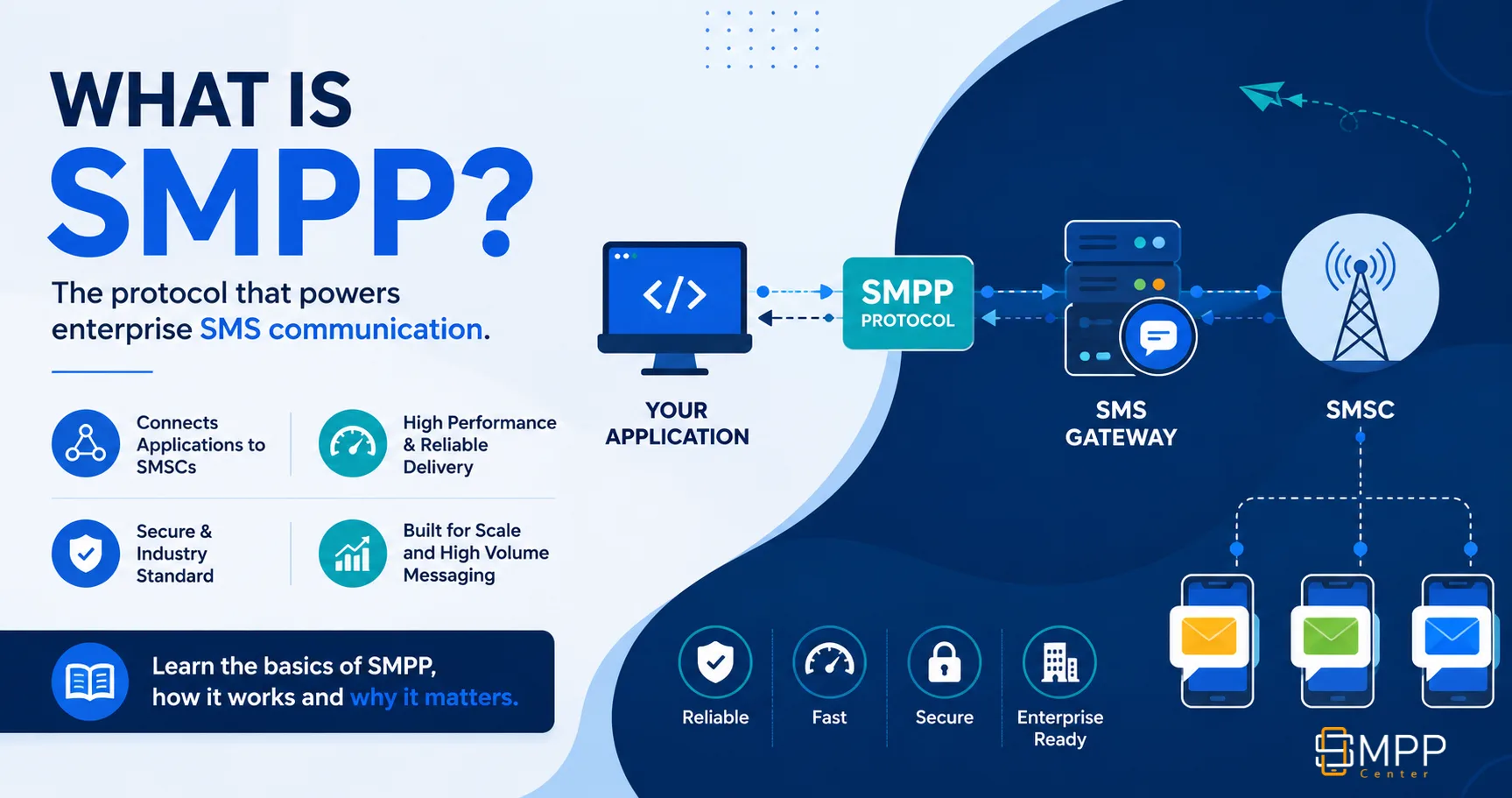
Where the Client Sits in an SMPP Connection
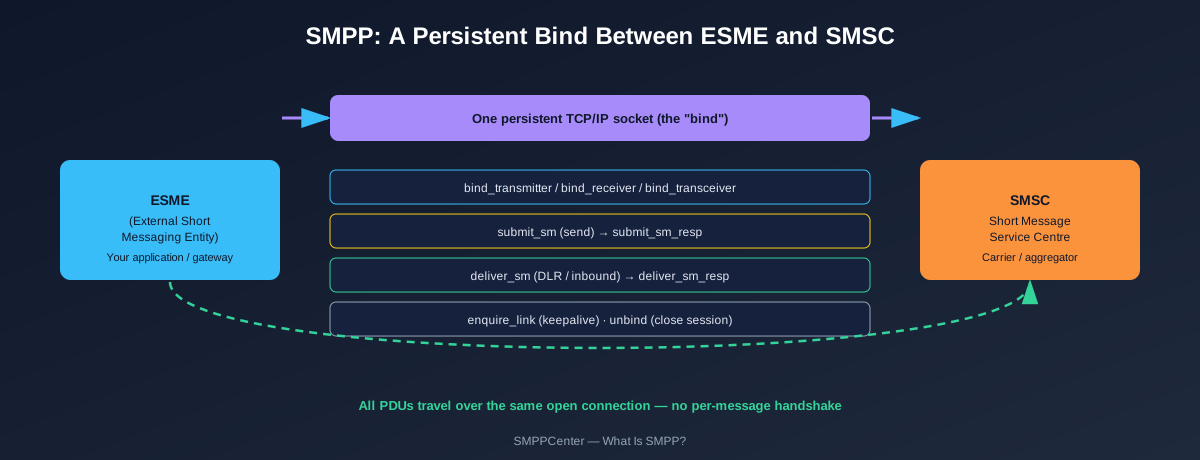
Every SMPP session has exactly two roles: the client (ESME) that initiates the connection, and the server (SMSC, or an SMSC-like layer run by an aggregator or reseller platform) that accepts it. The client is always the one that dials out. It opens a plain TCP/IP socket to a host and port it has been given, and from that point on, everything it does happens inside that one persistent connection rather than as a series of separate, disconnected requests.
That single design choice is the reason SMPP exists at all instead of everyone just using HTTP. A client that has already authenticated once does not need to prove who it is again for message number two, or number two million; it just keeps submitting over the connection it already has open. See SMPP vs HTTP API for the full throughput comparison this enables.
What an SMPP Client Actually Does, Step by Step
Stripped down to its core loop, an SMPP client's job breaks into six concrete steps. Real implementations add a lot of engineering around each one, covered further down, but this is the sequence underneath all of it.
- Connect. The client opens a TCP/IP socket to the SMSC's host and port. Nothing SMPP-specific has happened yet; this is a plain network connection.
- Bind. The client sends a bind PDU, bind_transmitter, bind_receiver, or bind_transceiver, carrying a system_id and password issued by the SMSC operator. The SMSC validates the credentials and responds with a bind_resp confirming success or reporting an error.
- Submit. For every outbound message, the client sends a submit_sm PDU carrying the source address, destination address, and message body. The SMSC immediately acknowledges with a submit_sm_resp carrying a message ID, though that only confirms the SMSC accepted the message for processing, not that it reached the handset yet.
- Receive. On a receiver or transceiver bind, the SMSC sends deliver_sm PDUs back to the client, either an inbound reply from a handset, or a delivery receipt reporting the final status (delivered, failed, expired) of an earlier submit_sm. The client acknowledges each with a deliver_sm_resp.
- Keep alive. During any lull in traffic, the client (or the SMSC) sends an enquire_link PDU as a heartbeat, confirming the connection is still genuinely open and not just appearing so at the TCP level while actually being dead.
- Unbind. When the client is done, it sends an unbind PDU to close the session gracefully before dropping the underlying TCP connection, rather than just disappearing mid-conversation.
The Three Bind Types, from the Client's Side
The client chooses which bind type to open based on what that session needs to do. Nothing stops a client from opening more than one bind, of different types, to the same or different SMSCs at once.
bind_transmitter
Opens a send-only session. The client can submit messages but will never receive an inbound reply or delivery receipt on this connection, even if one exists.
bind_receiver
Opens a receive-only session, useful when a client wants a dedicated connection purely for inbound traffic and delivery receipts, separate from its send path.
bind_transceiver
Handles both directions on one connection. Simpler to operate than two separate binds, and the default most modern SMPP clients reach for.
Skip building an SMPP client yourself
Talk to an SMPP Software Specialist about connecting through SMPPCenter's own client instead.
Talk to a SpecialistWhat Separates a Production SMPP Client from a Script
The six-step loop above is enough to send a handful of test messages. It is nowhere near enough to run real business traffic. A client that only implements that loop will lose messages the first time a connection drops, get itself throttled or disconnected by the SMSC under real load, and give you no visibility into why a campaign is stalled. The difference between a demo and something you can build a business on comes down to how it handles everything that happens around that basic loop.
Do You Need to Run an SMPP Client Yourself?
| Situation | Do you need your own SMPP client? |
|---|---|
| You send through a panel or REST API | No. The platform's SMPP client runs behind that interface; you never touch the bind or PDUs directly. |
| You integrate directly over SMPP with a gateway platform | Yes, but a scoped one. You are binding to that platform's SMPP server, not to a carrier, so your client only needs to handle one relationship, not multi-carrier routing. |
| You are becoming an aggregator or reseller with direct carrier interconnects | Yes, a full production-grade one, since it is binding directly to one or more carrier SMSCs and needs to handle everything described above. |
SMPPCenter runs the second and third scenarios for you: its own SMPP client binds upstream to carriers and vendors, handling reconnects, load balancing, and throttling, so you connect through the panel, REST API, or SMPPCenter's own SMPP server instead of maintaining that layer. If you are on the other side of that relationship, deciding whether to run one yourself in the first place, see Build vs Buy: SMS Gateway.
SMPP Client vs SMPP Server
A client and a server are opposite sides of the same connection, and most SMS gateway software runs both at once, just facing different directions. The client binds outward to send your traffic upstream. The server accepts binds from your own downstream customers, the same way an SMSC accepts binds from you. Running only a client makes you a sender; running both is what makes a reseller or aggregator business possible. See What Is an SMPP Server? for the other half of that picture, and SMPP Provider for how SMPPCenter packages both together.
FAQ
Frequently Asked Questions
See SMPPCenter's SMPP Client and Server Features in Detail
Explore FeaturesClient Feedback
What Our Clients Say
Our clients run regulated, high-volume messaging infrastructure and prefer not to be named publicly. These testimonials are shared with permission while keeping commercially sensitive details confidential.
The delivery reports and routing controls give us the visibility we were looking for. The system has integrated well with our internal applications.
The migration was completed smoothly and the platform has remained stable under heavy production traffic. The flexibility of self-hosting was one of the biggest advantages for us.
The platform has been reliable for business-critical messaging. Multi-connection support and detailed logging have made daily operations much easier.
High throughput, intelligent routing, and detailed monitoring have significantly simplified our messaging operations.
Names and company details are withheld at our clients' request. This is common among telecom providers, SMS aggregators, fintech companies, and enterprises that consider their messaging infrastructure commercially sensitive.