
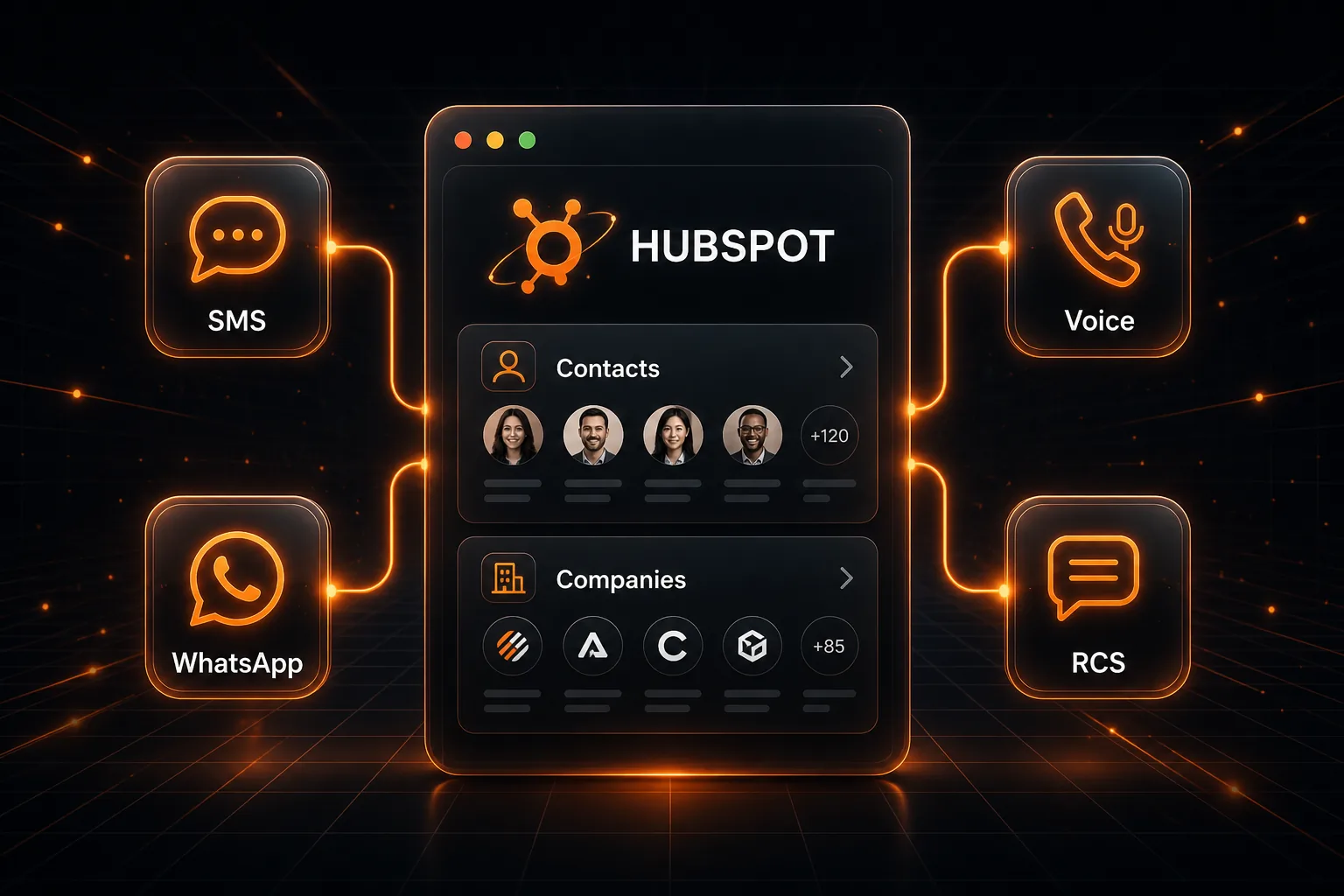
HubSpot-Driven Messaging Built Into Your Platform
Your customers already run inbound sales and support in HubSpot. The HubSpot Connector Plugin lets licensed and rented SMPP Center operators offer CRM-triggered messaging: connect HubSpot once, pick objects such as Contacts and Companies, and send SMS, WhatsApp templates, Voice calls, or RCS when a new record is created. Incoming SMS, WhatsApp, and RCS replies are added as HubSpot Notes. No Marketplace install. No Zapier. No custom HubSpot workflows to maintain.
SMS WhatsApp Voice RCS
Get a QuoteWhat Your Users Can Automate, Per HubSpot Object
Each connected HubSpot object gets its own independent mix of outbound alerts and inbound Note logging.
Send on New Record
Trigger SMS, WhatsApp templates, Voice calls, or RCS the moment a record is created on objects with a phone field, including Contacts, Companies, and other eligible objects.
Log Replies as HubSpot Notes
Inbound SMS, WhatsApp, and RCS replies are matched by mobile number and added as a Note on the HubSpot Contact or Company, keeping the conversation in CRM.
Personalize From Properties
Use HubSpot property names as placeholders in SMS, or map WhatsApp and RCS template variables to object properties through a visual mapping UI.
Delivery Status on Notes
After every send, delivery status (SENT, DELIVERED, FAILED, ANSWERED) can be posted as a HubSpot Note on the record, with no custom properties required.
Which HubSpot Objects Can You Connect?
The object picker is dynamic. It fetches objects from the connected HubSpot portal that have at least one phone-type property. Contacts and Companies are the usual starting points for sales and support alerts.
Contacts
Send a welcome SMS, WhatsApp, RCS, or Voice alert when a new Contact is created. Replies and delivery statuses are logged as Contact Notes.
Companies
Reach a new Company the moment the record lands in HubSpot. Ideal for account-level SMS or WhatsApp templates, with reply logging as Company Notes.
Deals
Alert a prospect or your team by SMS or Voice when a Deal is opened, if the Deal object includes a phone-type property for mobile mapping.
Other Eligible Objects
Custom objects appear in the picker when they include a phone-type property. Each object keeps its own independent automation mix.
Objects without a phone-type property are excluded from the picker. The list refreshes from the connected HubSpot portal whenever the user opens Connect an Object.
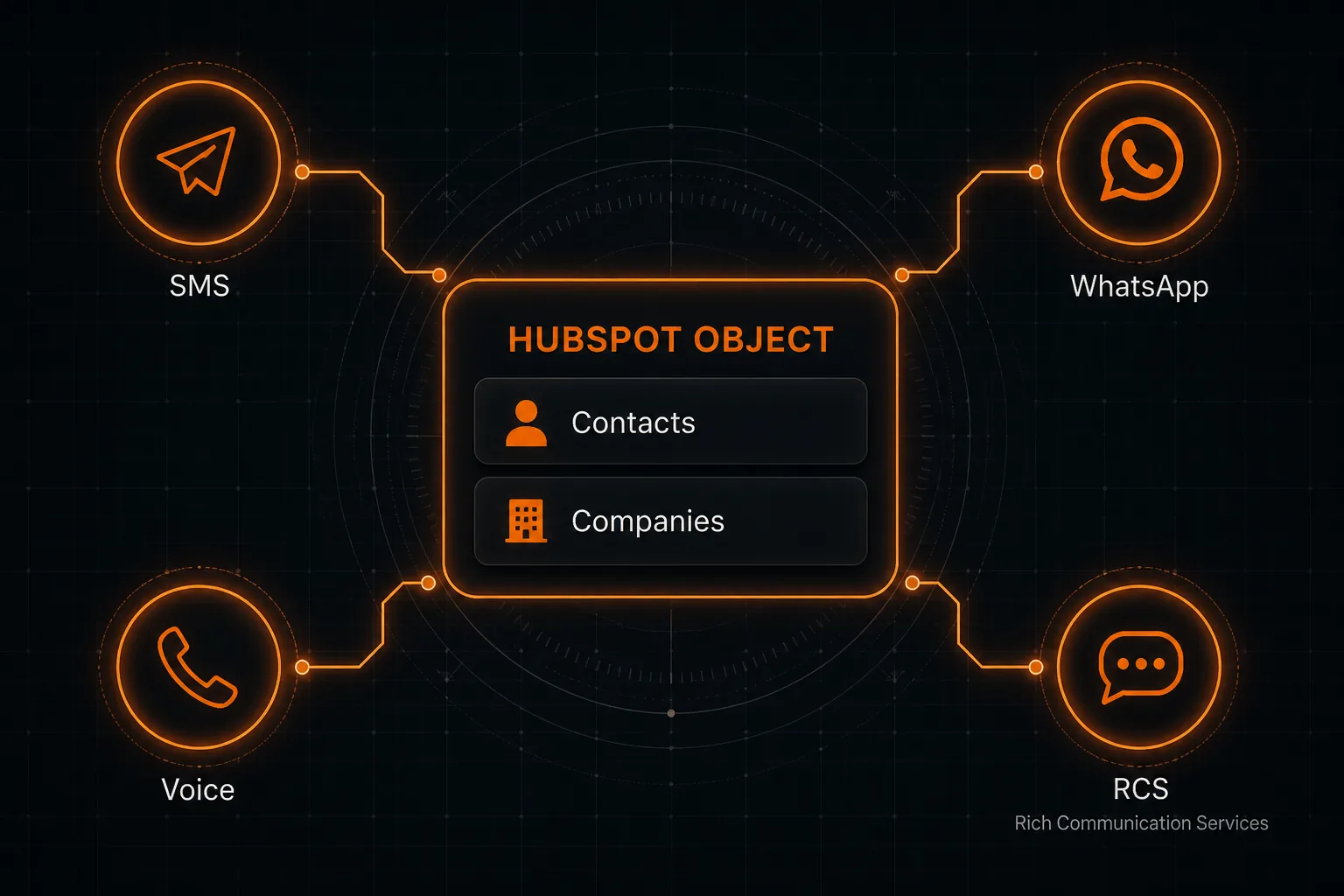
Channel Capabilities at a Glance
| Capability | What Happens |
|---|---|
| Send SMS on new record | Messages the record mobile using Sender ID, optional DLT template, and freeform text with HubSpot property placeholders. |
| Send WhatsApp on new record | Sends an approved WhatsApp template. Header, body, media, and button variables map to HubSpot object properties or fixed values. |
| Send Voice call on new record | Places a call and plays an approved audio clip from the voice library, with optional voice status Note write-back. |
| Send RCS on new record | Sends an approved RCS template from a verified bot, with per-variable HubSpot property mapping. |
| Log incoming SMS / WhatsApp / RCS | Appends inbound replies as HubSpot Notes on the matched Contact, Company, or other record, showing channel, message text, and timestamp. |
| Delivery status Notes | SENT, DELIVERED, FAILED, ANSWERED, PENDING, or UNDELIVERED posted as a HubSpot Note automatically after every send. |
| Recent Activity | Shows object, mobile, channel badge, transaction ID, delivery status, and timestamp so operators can confirm automations are running. |
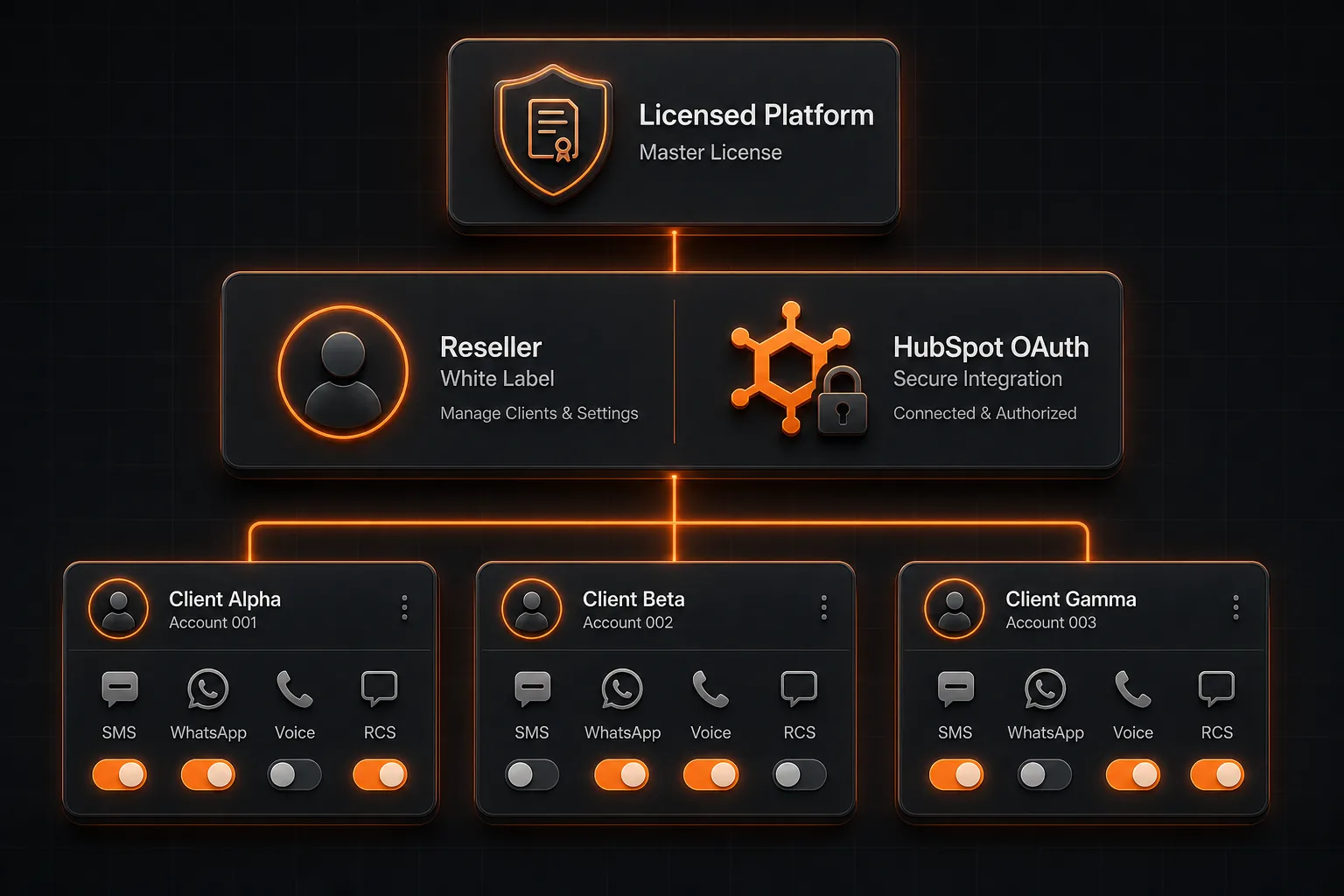
How Resellers Set Up HubSpot for Downline Clients
Resellers own the HubSpot OAuth credentials and channel permissions. Downline clients never need to create their own HubSpot OAuth app to start automating.
HubSpot OAuth in White Label
- Create a HubSpot OAuth app and note the Client ID and Client Secret.
- Save those credentials under White Label for the HubSpot CRM Integration section.
- Once configured, downline users can complete HubSpot OAuth from the panel.
Per-Account Channel Flags
- Enable or disable Send SMS, Send WhatsApp, Send Voice, and Send RCS per customer account.
- Enable or disable Log Incoming SMS, Incoming WhatsApp, and Incoming RCS independently.
- Customers only see the automation cards for channels you have provisioned.
Downline Client Integration
- Clients connect their HubSpot portal with one OAuth consent.
- They connect objects (Contacts, Companies, and other eligible objects) and map the mobile field.
- If OAuth is not configured, users see a clear “contact your representative” message instead of a broken flow.
Reseller Visibility
- Recent Activity shows object, mobile, channel, transaction ID, delivery status, and timestamp.
- Usage follows the same delivery reports and credit ledger as other channels.
- No separate HubSpot reporting stack to maintain.
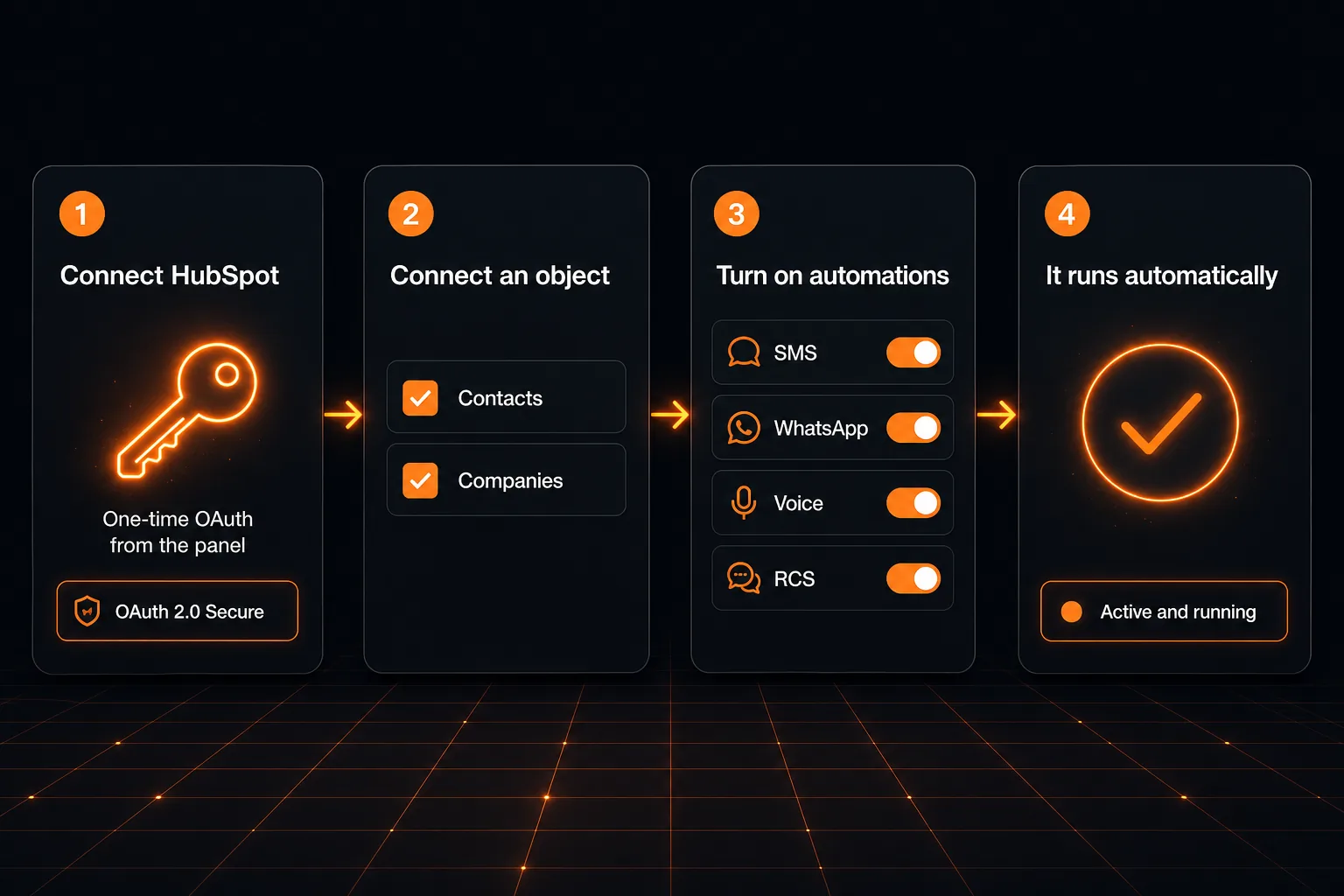
How End Users Set Up Alerts in Four Steps
Once the reseller has enabled OAuth and channels, typical setup takes a few minutes.
Connect HubSpot
One-time OAuth from Connected Services. The panel shows the connected HubSpot identity, with Disconnect available once all object connections are removed.
Connect an Object
Choose Contacts, Companies, or another eligible object, then select which phone property holds the mobile number used for messaging.
Turn On Automations
Flip outbound send and inbound logging toggles for SMS, WhatsApp, Voice, and RCS. Each toggle expands to configure templates, sender IDs, and variable mapping.
It Runs Automatically
New records and replies are picked up on a short polling cycle, about once a minute. Check Recent Activity to confirm sends and delivery statuses.
Send Alerts the Moment a Record is Created
Four outbound channels, each independently toggled per connected HubSpot object such as Contact or Company.
SMS
- Choose a registered Sender ID for the account.
- Write a free-text message using {propertyInternalName} placeholders from the HubSpot object.
- Optionally attach a pre-approved DLT template for Indian traffic.
- Delivery status posted back as a HubSpot Note automatically.
- Select from approved WhatsApp templates on the account.
- Map header, body, media, and button variables to HubSpot properties or fixed values.
- Supports text headers, image/video/document media headers, and URL buttons with dynamic suffixes.
- Delivery status and replies logged as HubSpot Notes.
Voice
- Select an approved audio clip from the voice library.
- Places an outbound call and plays the clip when the recipient answers.
- Call status (ANSWERED, NO ANSWER, FAILED) posted as a HubSpot Note.
- Works on any mobile number in the mapped HubSpot phone property.
RCS
- Select a verified RCS bot and an approved RCS template.
- Map each template variable to a HubSpot object property or a fixed value.
- Supports rich cards, carousels, and action buttons.
- Inbound RCS replies logged as Notes on the matched Contact or Company.
Log Every Reply Back into HubSpot as Notes
Three inbound channels, each independently toggled. Replies are matched by mobile number to the CRM record and added as HubSpot Notes on Contacts, Companies, and other connected objects.
Incoming SMS
Inbound SMS messages from the record mobile are matched to the HubSpot Contact or Company and posted as a Note showing channel, message text, and timestamp. Keeps the full SMS conversation in CRM context.
Incoming WhatsApp
WhatsApp replies from the contact number are appended as Notes on the matched Contact or Company. Text, media captions, and interactive button replies are captured.
Incoming RCS
Inbound RCS messages and button responses from the record number are logged as Notes on the matched HubSpot record, giving sales teams full reply visibility inside CRM.
Want this plugin on your SMPP Center license or rental?
We will walk through enablement, HubSpot OAuth, per-account channel permissions, and how your downline clients connect Contacts and Companies.
Talk to a SpecialistWhy Licensed Customers Choose HubSpot-Triggered Messaging
No Marketplace Dependency
- No HubSpot Marketplace install on the customer HubSpot portal.
- No custom HubSpot workflows, webhooks, or operations to maintain for the create-to-message path.
- Works with HubSpot portals that allow OAuth consent for the reseller app.
Multi-Object Flexibility
- Start with Contacts and Companies, then add other phone-enabled objects as needed.
- Each object keeps its own independent automation mix.
- Pause, configure, or remove connections without disrupting other objects.
Compliant Messaging Path
- Uses the same DLT, sender ID, and approval workflows already on the platform.
- WhatsApp templates and RCS bots follow the same approval process as manual sends.
- No parallel messaging stack to audit.
Before You Enable the Plugin
Platform checklist
- Active SMPP Center license or rental with the HubSpot Connector enabled
- Credits or post-paid capacity for the channels you open
- HubSpot Client ID and Client Secret configured in White Label
HubSpot readiness
- Active HubSpot portal with OAuth consent allowed for the reseller app
- Phone properties available on Contacts, Companies, or other objects you plan to connect
- Property internal names noted for SMS placeholder and template variable mapping
Per-channel readiness
- DLT Sender ID and Entity ID for SMS
- Approved WhatsApp templates for WhatsApp sends
- Approved audio clips in the voice library for Voice calls
- Verified RCS bot and approved RCS templates
FAQ
Frequently Asked Questions
Ready to connect HubSpot CRM to your messaging stack?
Chat with usClient Feedback
What Our Clients Say
Our clients run regulated, high-volume messaging infrastructure and prefer not to be named publicly. These testimonials are shared with permission while keeping commercially sensitive details confidential.
API integration was straightforward and the support team assisted us throughout deployment. We now manage multiple operator connections from a single platform.
The migration was completed smoothly and the platform has remained stable under heavy production traffic. The flexibility of self-hosting was one of the biggest advantages for us.
We evaluated several messaging platforms before selecting SMPP Center. The deployment flexibility and API capabilities matched our enterprise requirements.
The delivery reports and routing controls give us the visibility we were looking for. The system has integrated well with our internal applications.
Names and company details are withheld at our clients' request. This is common among telecom providers, SMS aggregators, fintech companies, and enterprises that consider their messaging infrastructure commercially sensitive.