
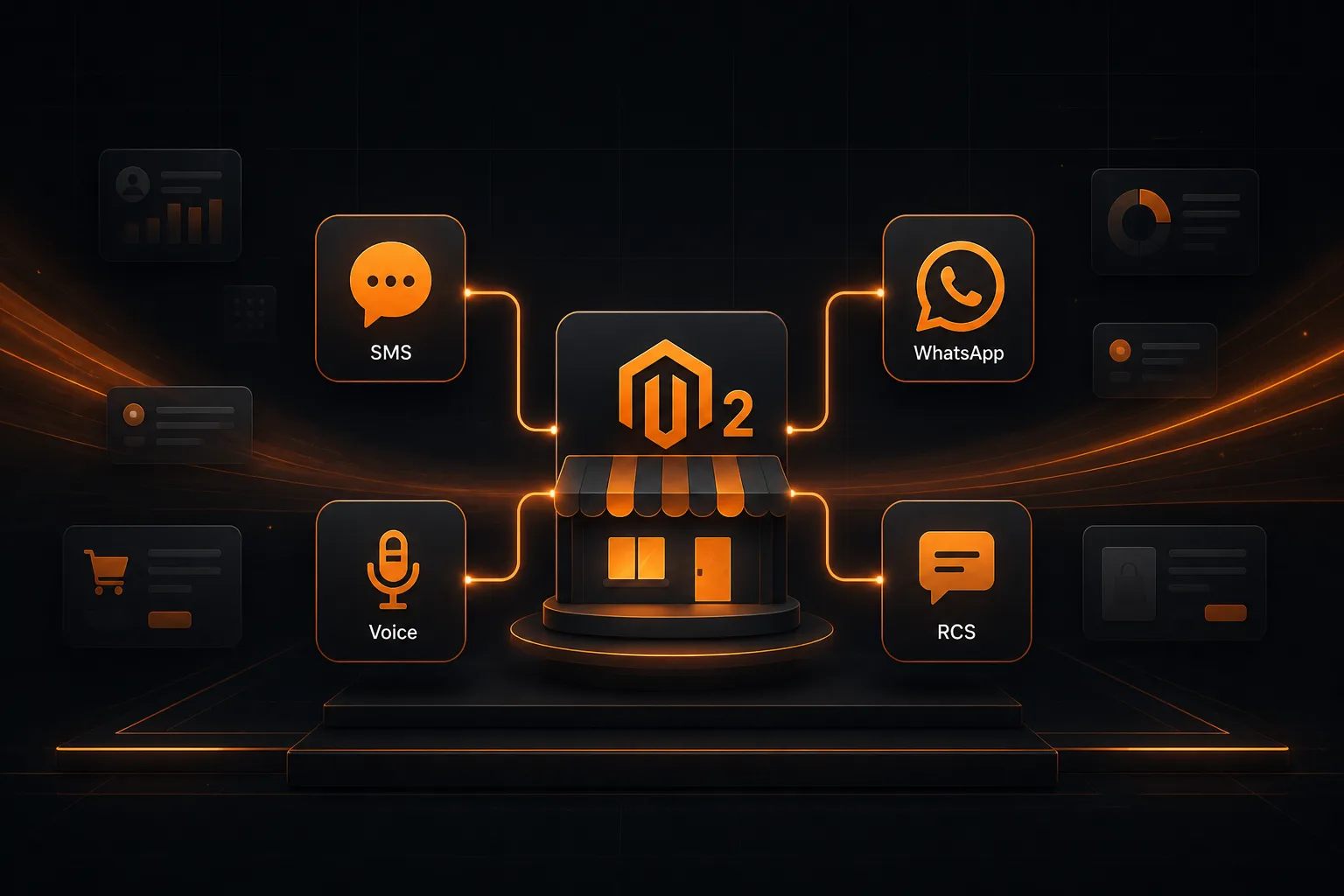
Store-Triggered Messaging for Magento 2
Your customers already shop on Magento 2. The Magento 2 Connector Plugin lets licensed and rented SMPP Center users connect a store with a Magento Integration access token, then send SMS, WhatsApp templates, Voice calls, or RCS when orders, shipments, carts, or new customers fire. No Magento Marketplace app. No Zapier. No reseller OAuth branding step.
SMS WhatsApp Voice RCS
Get a QuoteWhat End Users Can Automate From Magento
Each store event has its own independent mix of SMS, WhatsApp, Voice, and RCS. Direct clients configure everything in Connected Services.
Order & COD Alerts
Message customers when an order is placed, or send a COD-specific reminder only for Cash on Delivery checkouts, while prepaid orders still use Order Placed.
Shipment & Status
Fire on Magento shipment creation with tracking number and carrier, or on any order status change such as processing, shipped, complete, or canceled.
Abandoned Cart
Remind shoppers after one or more quiet waits (for example 1 hour, then 4 hours, then 24 hours) while the cart stays abandoned.
New Customer
Welcome new registrations when a mobile number is available on the customer record or a saved address. Placeholder personalization uses Magento fields.
Which Magento Events Can You Connect?
Six outbound triggers, each with its own channel mix. Only channels enabled on the account appear in the panel.
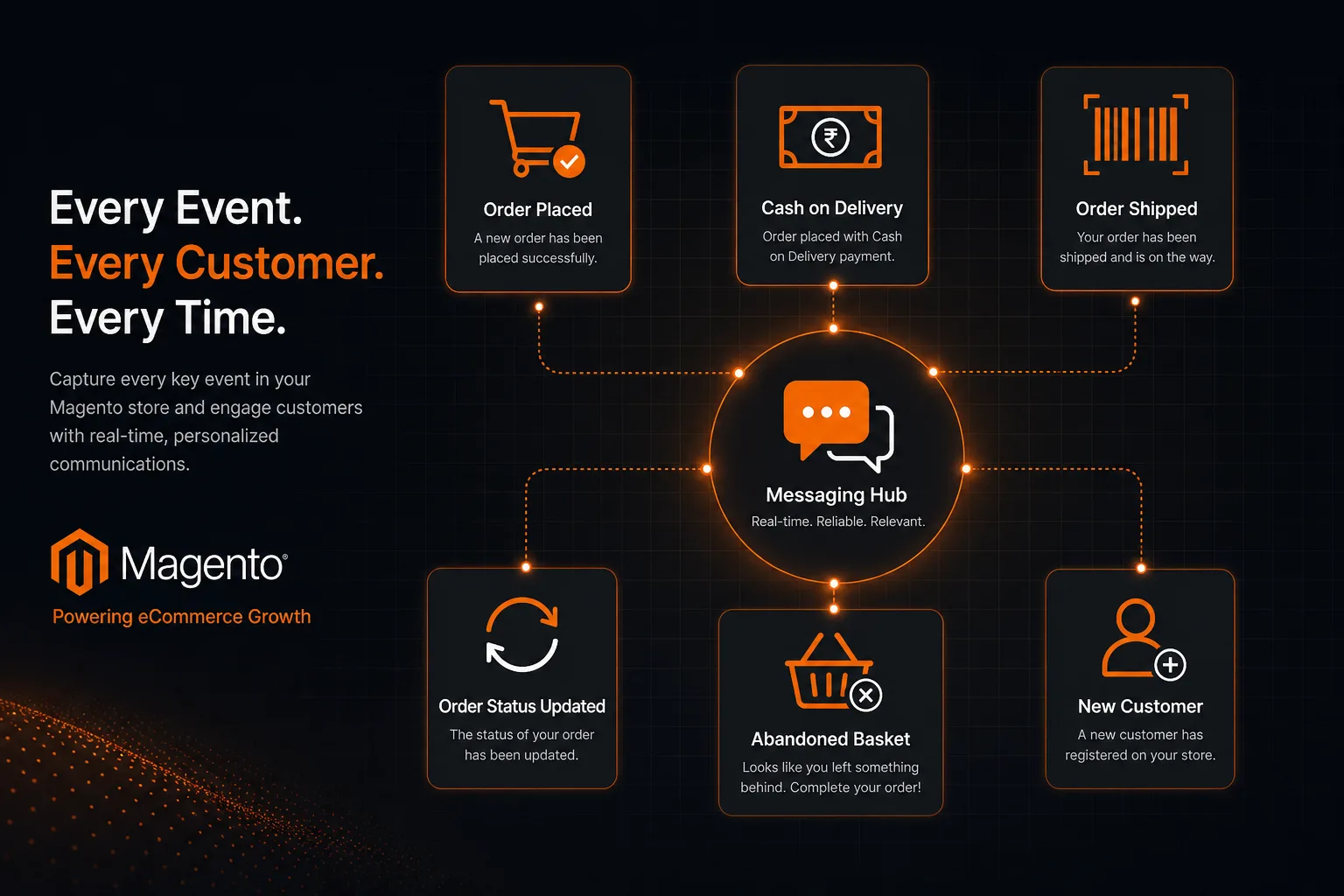
Order Placed
Fires when checkout completes for prepaid and COD orders. Ideal for order confirmation SMS or WhatsApp.
COD Order
Fires only for Cash on Delivery checkouts. Use for keep-cash-ready reminders alongside Order Placed.
Shipment
Fires when Magento creates a shipment. Can include tracking number and carrier in the message.
Order Status
Fires when order status changes. Use Shipment instead when you need tracking details.
Abandoned Cart
Fires after configurable wait periods while the cart stays quiet and unconverted.
New Customer
Fires on new account registration when a phone number is available on the customer or address.
New Customer silently skips registrations without a mobile number. Magento's default signup form has no phone field unless the store adds one.
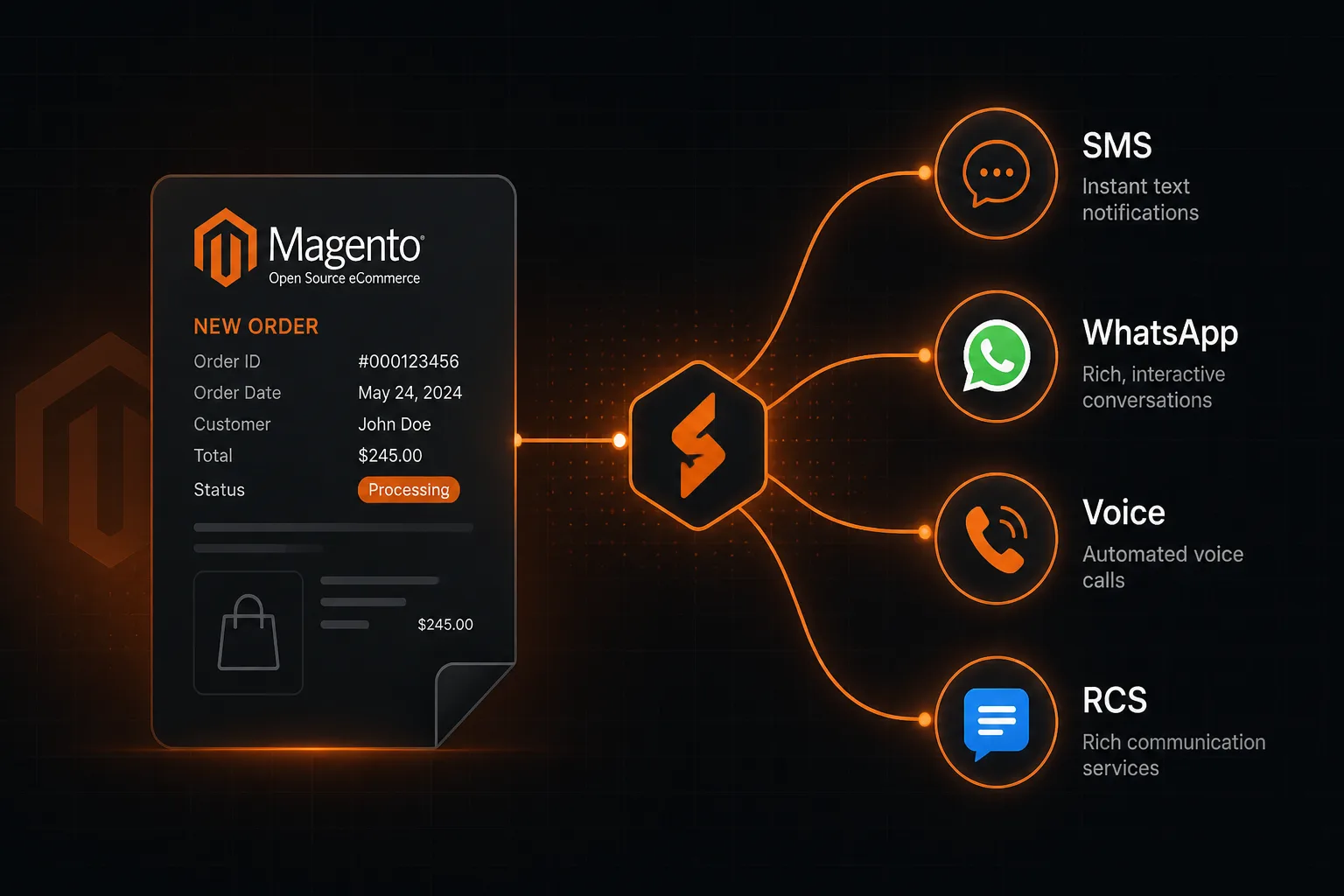
Channel Capabilities at a Glance
| Capability | What Happens |
|---|---|
| Send SMS on store events | Messages the customer mobile using Sender ID, optional DLT template, Text or Unicode type, and Magento field placeholders. |
| Send WhatsApp on store events | Sends an approved WhatsApp template. Header, body, media, and button variables map to Magento order, cart, or customer fields. |
| Send Voice call on store events | Places a call and plays an approved audio clip from the voice library when the recipient answers. |
| Send RCS on store events | Sends an approved RCS template from a verified bot, with per-variable Magento field mapping. |
| Abandoned cart waits | Up to five quiet periods (minutes). The same reminder can fire at each wait while the cart stays abandoned. |
| Recent Activity | Shows event, channel badge, reference, mobile, transaction ID, delivery status, and timestamp. |
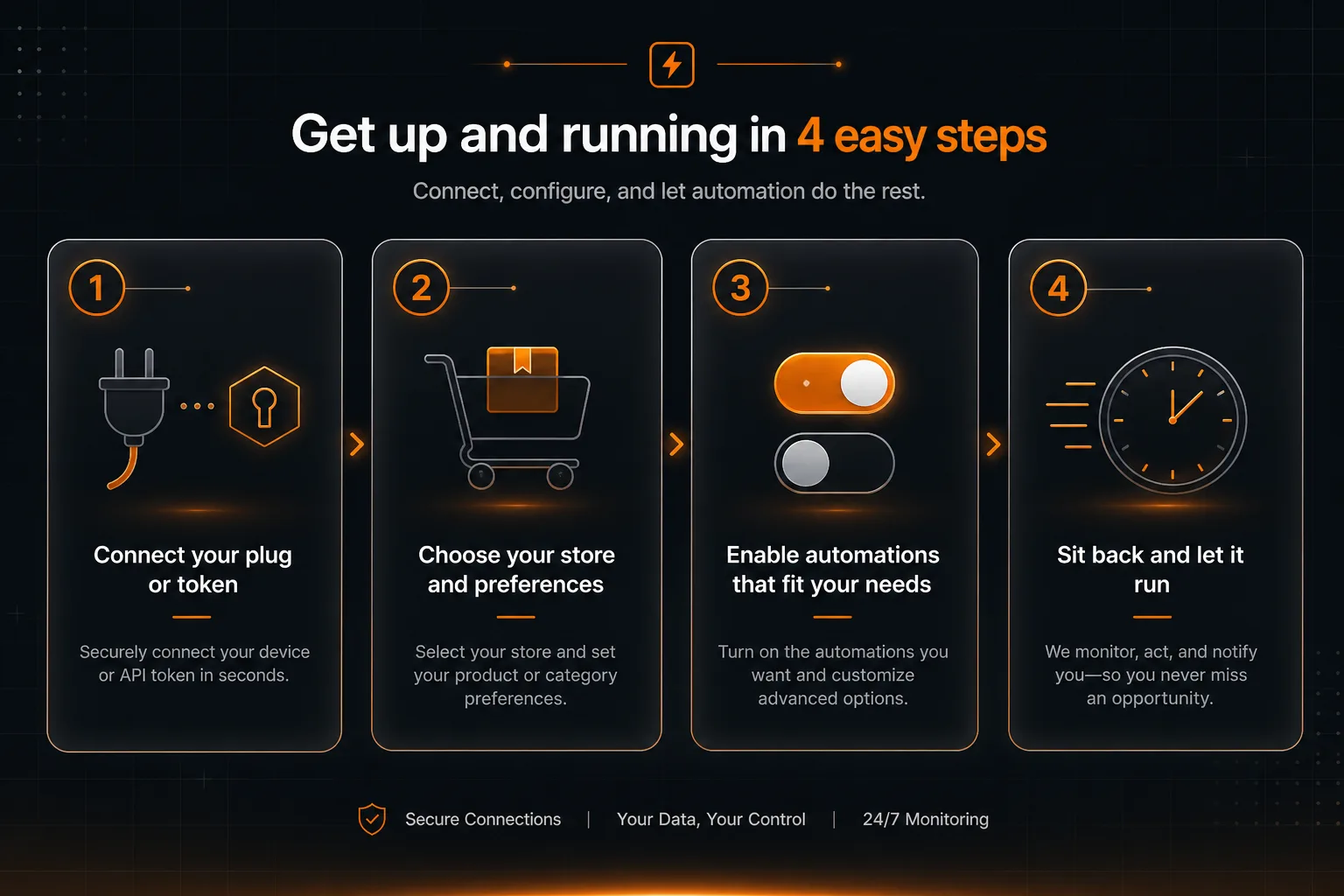
How End Users Connect in Four Steps
Typical setup takes a few minutes. No reseller OAuth branding is required. The user pastes a Magento Integration token.
Create Magento Integration
In Magento Admin: System → Extensions → Integrations. Add an integration, set API Resource Access to All (or Sales, Customers, and Carts), Activate, and copy the Access Token. On Magento 2.4.4+, allow OAuth tokens as Bearer tokens.
Connect the Store
Open Magento 2 Integration under Connected Services. Enter store name, store URL (https://...), and the Access Token, then Connect. The panel tests the token before saving.
Turn On Automations
Pick an event tab (Order Placed, COD, Shipment, Order Status, Abandoned Cart, or New Customer). Enable SMS, WhatsApp, Voice, and/or RCS and configure templates, Sender ID, and placeholders.
It Runs Automatically
Orders and customers poll about once a minute; abandoned carts on a short cycle. Check Recent Activity to confirm sends and delivery statuses.
How to Set Up SMS, WhatsApp, Voice & RCS
Four outbound channels, each independently toggled per Magento event.
SMS
- Choose a registered Sender ID for the account.
- Optionally pick a saved SMS template to auto-fill the body and DLT Template ID.
- Write free text with Magento placeholders such as {OrderId}, {Name}, {Mobile}, {TrackingNumber}.
- Select Text or Unicode message type to match the content.
- Select from approved WhatsApp templates on the account.
- Map header, body, media, and button variables to Magento fields or fixed values.
- Supports text headers, image/video/document media headers, and URL buttons with dynamic suffixes.
- Works on the same store events as SMS.
Voice
- Select an approved audio clip from the voice library.
- Places an outbound call and plays the clip when the recipient answers.
- Uses the billing or shipping telephone from the Magento order, cart, or customer.
- Enable only on the events where a voice reminder makes sense.
RCS
- Select a verified RCS bot and an approved RCS template.
- Map each template variable to a Magento field or a fixed value.
- Supports rich cards, carousels, and action buttons.
- Same event tabs as SMS and WhatsApp for consistent store journeys.
Built for Direct Clients (No Reseller OAuth Step)
Unlike Google Sheets or Zoho CRM connectors that may need white-label OAuth branding, Magento connects with a store Integration token the end user creates themselves.
Integration Token Connect
Users paste store URL and Magento Access Token. No Google or Zoho consent screen. No Marketplace install on the Magento org.
Direct Account Setup
Licensed and rented customers enable events and channels in their own panel. Platform admins only need to turn on Magento for that account.
Channel Gating
SMS, Voice, WhatsApp, and RCS can still be limited per install via system allow-list flags, so only provisioned channels appear.
Want this plugin on your SMPP Center license?
We will walk through enablement so your Magento users can connect with an Integration token and turn on SMS, WhatsApp, Voice, and RCS store alerts.
Talk to a SpecialistWhy Licensed Customers Choose Magento Messaging
No Marketplace Dependency
- No Magento Marketplace extension to install or maintain.
- No custom Magento modules required for Order Placed, Shipment, or Abandoned Cart.
- Works with Magento 2 REST via a standard Integration token.
Full Store Journey
- Cover checkout, COD, shipment, status, cart recovery, and registration in one hub.
- Each event keeps its own channel mix and message templates.
- Reconnect or disconnect the store without rebuilding every automation from scratch.
Compliant Messaging Path
- Uses the same DLT, sender ID, and approval workflows already on the platform.
- WhatsApp templates and RCS bots follow the same approval process as manual sends.
- No parallel messaging stack to audit.
Before You Enable the Plugin
Platform checklist
- Active SMPP Center license or rental with Magento 2 Connector enabled
- Credits or post-paid capacity for the channels you open
- Channel allow-list set for SMS, WhatsApp, Voice, and/or RCS
Magento 2 readiness
- Magento 2 store with REST API and an Integration that can view orders, customers, and carts
- Magento 2.4.4+ with OAuth Bearer tokens allowed when required
- Store URL reachable over HTTPS from your messaging server
Per-channel readiness
- DLT Sender ID and Entity ID for SMS
- Approved WhatsApp templates for WhatsApp sends
- Approved audio clips in the voice library for Voice calls
- Verified RCS bot and approved RCS templates
FAQ
Frequently Asked Questions
Ready to connect Magento 2 to your messaging stack?
Chat with usClient Feedback
What Our Clients Say
Our clients run regulated, high-volume messaging infrastructure and prefer not to be named publicly. These testimonials are shared with permission while keeping commercially sensitive details confidential.
We evaluated several messaging platforms before selecting SMPP Center. The deployment flexibility and API capabilities matched our enterprise requirements.
Excellent documentation, responsive technical support, and an enterprise-grade platform that scales as our business grows.
We needed complete control over our messaging infrastructure instead of relying on a hosted provider. The platform has delivered excellent performance and reliability.
The migration was completed smoothly and the platform has remained stable under heavy production traffic. The flexibility of self-hosting was one of the biggest advantages for us.
Names and company details are withheld at our clients' request. This is common among telecom providers, SMS aggregators, fintech companies, and enterprises that consider their messaging infrastructure commercially sensitive.