
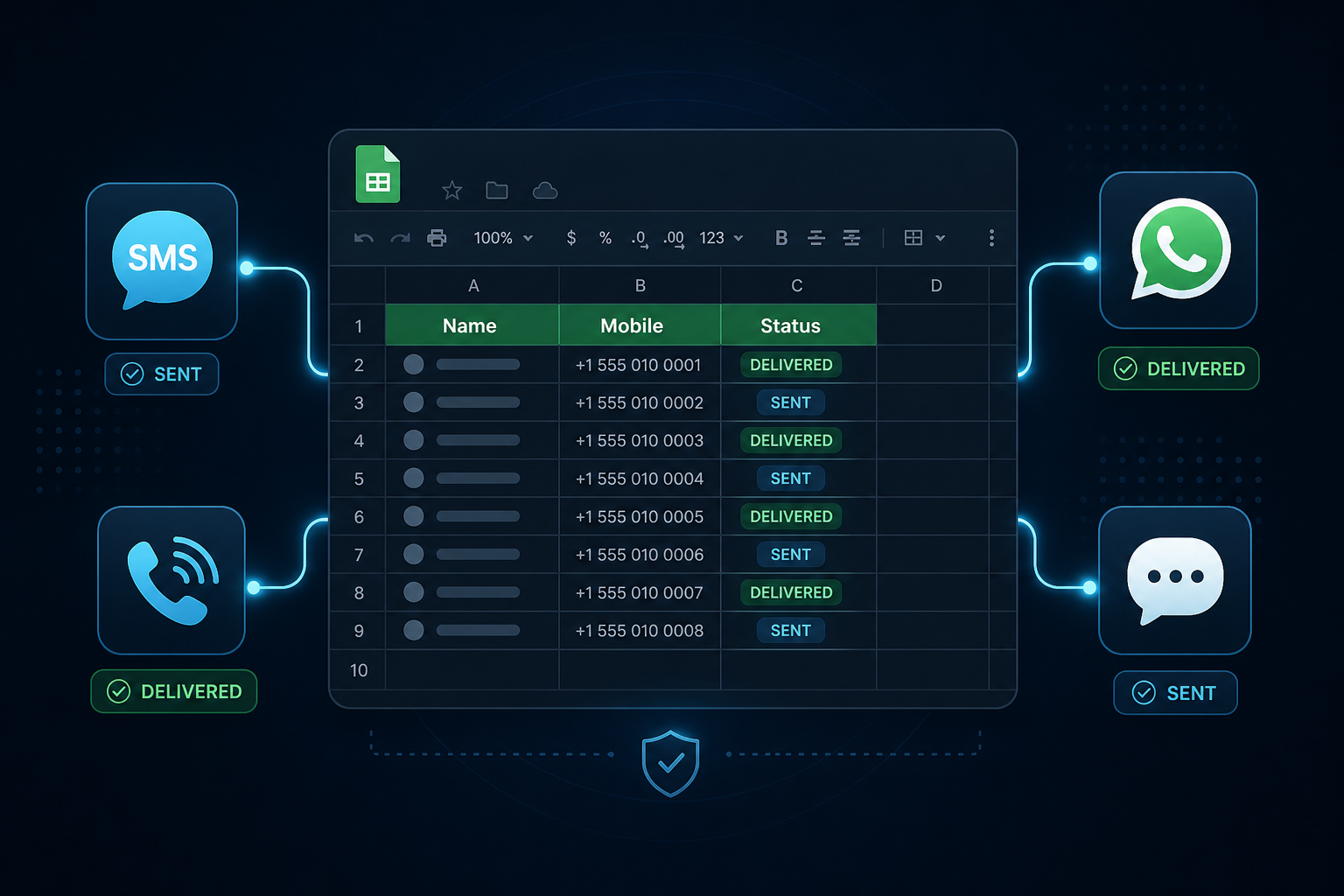
Spreadsheet Automation Built Into Your Messaging Platform
Your customers already live in Google Sheets, Google Forms, and CRMs that write rows into spreadsheets. The Google Sheet Connector Plugin lets them connect a Google account once, pick a sheet, and keep SMS, WhatsApp, Voice, and RCS in sync automatically. No Apps Script to paste. No Zapier tax. No separate developer project for every brand.
SMS WhatsApp Voice RCS
Get a QuoteWhat Your Customers/Resellers Can Automate, Per Sheet
Each connected spreadsheet and tab gets its own mix of outbound and inbound toggles.
Send on New Row
Trigger SMS, WhatsApp templates, Voice audio clips, or RCS templates when a contact row is added.
Log Incoming Replies
Write inbound SMS, WhatsApp, or RCS messages back into a chosen tab with timestamp, channel, mobile, and text.
Personalize From Columns
Use any header as a variable, for example {Name} or {Company}, or map WhatsApp and RCS slots to columns.
Delivery Status Columns
Optional per-channel status columns update SENT or FAILED immediately, then DELIVERED or UNDELIVERED after confirmation.
Channel Capabilities at a Glance
| Capability | What Happens |
|---|---|
| Send SMS on new row | Messages the row mobile using Sender ID, optional saved DLT template, and freeform text with column placeholders. |
| Send WhatsApp on new row | Sends an approved WhatsApp template. Map header, body, media, and button variables to sheet columns or fixed values. |
| Send Voice call on new row | Places a call and plays an approved audio clip from the voice library, with optional voice status write-back. |
| Send RCS on new row | Sends an approved RCS template from a verified bot, with per-variable sheet mapping. |
| Log incoming SMS / WhatsApp / RCS | Appends replies as new rows in an existing tab or a newly created replies tab, separate from the outbound trigger sheet. |
| Recent Activity | Shows when, sheet, row, mobile, and status so operators can confirm automations are running. |
How End Users Connect in Four Steps
Typical setup takes a few minutes after Google OAuth is available on the account.
Connect Google Account
One-time OAuth from Connected Services. The panel shows Connected as email, with Disconnect available anytime.
Pick Sheet and Columns
Choose spreadsheet and tab, confirm row-1 headers, select the mobile column, and optionally set status columns per channel.
Turn On Automations
Flip outbound send and inbound logging toggles for SMS, WhatsApp, Voice, and RCS. Mix and match per sheet.
It Runs Automatically
New rows and replies are picked up on a short polling cycle, about once a minute. Check Recent Activity to verify.
Resellers: Bring Your Own Google OAuth Brand
Keep the Google consent experience on your brand, not the platform brand.
Your OAuth App, Your Consent Screen
- Create a Google Cloud project under the reseller organization.
- Enable Google Sheets API and Drive API.
- Configure an OAuth web client with the copyable redirect URI from White Label settings.
- Paste Client ID and Client Secret. Secrets stay encrypted and are never redisplayed.
Downstream Customer Experience
- Customers signing in to Google see the reseller name and branding.
- If reseller OAuth is not configured, users are guided to contact their representative instead of hitting a broken flow.
- Direct platform users continue on platform credentials; white-label accounts resolve to reseller credentials only.
- Perfect for multi-tenant SMPP Center deployments selling Connected Services as a differentiator.
Want this plugin on your SMPP Center license?
We will walk through enablement, Google OAuth white-label setup, and which channels to open for your customers.
Talk to a SpecialistWhy Licensed Customers Choose Spreadsheet Sync
No Code Tax
- No Apps Script deployment or "unsafe app" warnings for end users.
- Works with Google Forms, Zapier, CRM exports, and manual sheet updates.
Multi-Sheet Control
- Connect multiple spreadsheets and tabs, each with its own channel mix.
- Pause, configure, or remove connections without rebuilding the whole setup.
Compliant Messaging Path
- Uses the same DLT, sender ID, and approval workflows already on the platform.
- Turning an automation on later only processes new rows going forward.
Transparent Google Access
Clear scopes build trust for enterprise buyers and white-label partners.
Account email
Shows which Google account is connected and supports Disconnect. Not used to sign users into unrelated products.
Spreadsheet read and write
Reads new rows and writes delivery status or inbound replies only on the spreadsheet and tab the user connects.
Drive file names only
Lists spreadsheet names for the picker. Does not read the contents of unrelated Drive files.
Before You Enable the Plugin
Platform checklist
- Active SMPP Center license with the plugin enabled
- Credits or post-paid capacity for the channels you open
- Google Cloud project for platform or reseller OAuth
Per-channel readiness
- DLT Sender ID / Entity ID for SMS
- Approved WhatsApp templates for WhatsApp sends
- Approved audio clips for Voice calls
- Verified RCS bot and approved RCS templates
FAQ
Frequently Asked Questions
Ready to connect Google Sheets to your messaging stack?
Chat with usClient Feedback
What Our Clients Say
Our clients run regulated, high-volume messaging infrastructure and prefer not to be named publicly. These testimonials are shared with permission while keeping commercially sensitive details confidential.
High throughput, intelligent routing, and detailed monitoring have significantly simplified our messaging operations.
Excellent documentation, responsive technical support, and an enterprise-grade platform that scales as our business grows.
The platform has been reliable for business-critical messaging. Multi-connection support and detailed logging have made daily operations much easier.
We needed complete control over our messaging infrastructure instead of relying on a hosted provider. The platform has delivered excellent performance and reliability.
Names and company details are withheld at our clients' request. This is common among telecom providers, SMS aggregators, fintech companies, and enterprises that consider their messaging infrastructure commercially sensitive.