
- Go to Users → Manage Users
- Click Edit User on the account
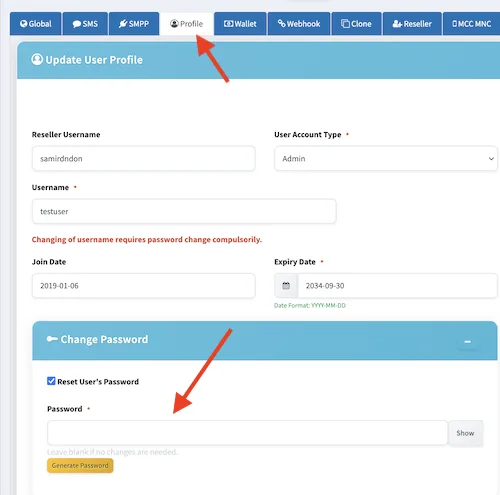
- Open the Profile tab
- Check Reset User’s Password in the Change Password section
- Enter a compliant password or click Generate Password
- Click Save Changes
It also notes that the password field appears only after the checkbox is checked.
Found this useful?Add as Preferred Source on Google