To display important notification to your users, you can add the content from Admin panel.
Set Dashboard Alerts
Go to Settings ⇾ General ⇾ Misc Tab
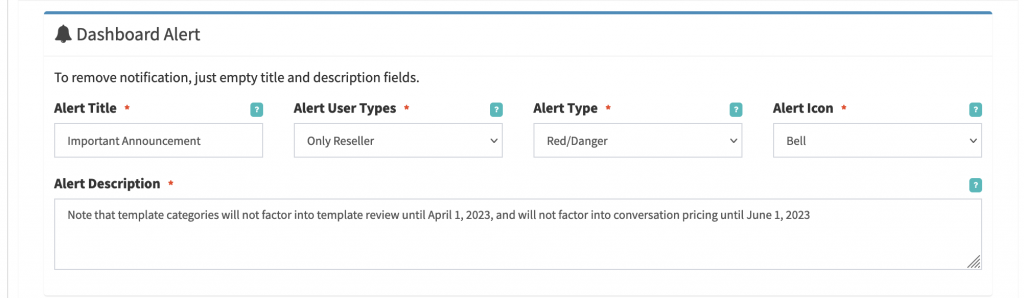
Then scroll down to Dashboard Alert section and add your announcement.
Alert Title: This will be head line or main title of the alert box.
Alert User Type: Select User type as per your requirement, to show only resellers then select Only Reseller.
nl2brThis is the alert box type.
Alert Icon: Select your desired icon
Alert Description: Add your description. Keep it short. New lines can be added.
Click on Save Changes.
Your users will start seeing the alert on dashboard.
Remove/Delete Dashboard Alerts
Just empty title and description from the admin panel settings. Alerts will be removed from the dashbaord.
Found this useful?Add as Preferred Source on Google