Transceiver binds feel simpler, but they are not automatically faster. A protocol-level look at how SMPP bind type, session windowing, and ESME_RTHROTTLED interact to set your real throughput ceiling.
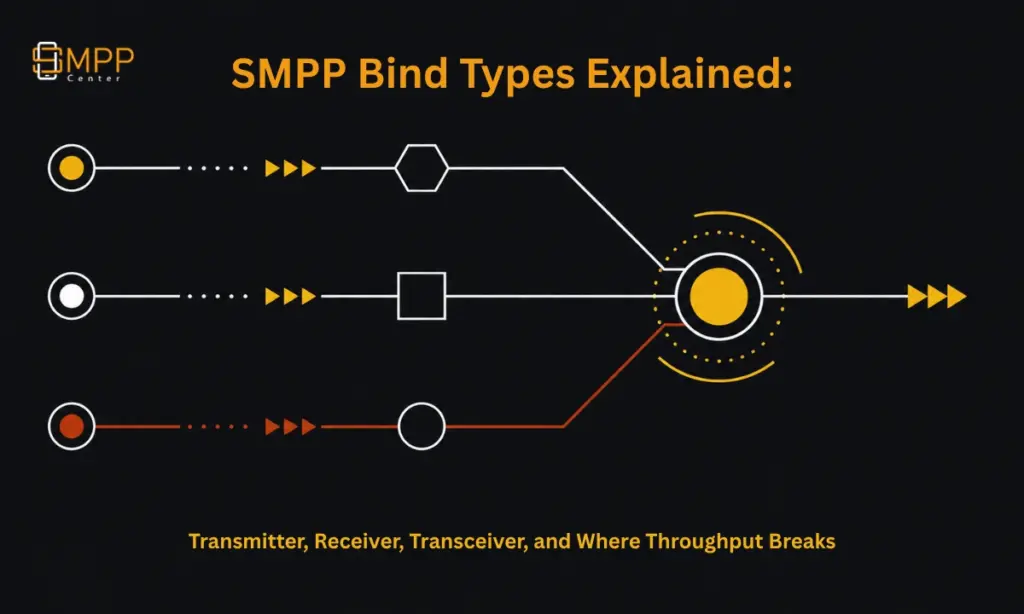
Table of Contents
- The Short Answer
- TL;DR
- What a Bind Actually Is
- Transmitter, Receiver, and Transceiver Compared
- Why Bind Type Alone Does Not Set Throughput
- Window Size: The Real Throughput Lever
- What Happens When You Get Throttled
- SMPP v5.0’s Congestion State: A Better Signal Than Windowing
- Practical Bind Strategy for Aggregators and Resellers
- What This Article Deliberately Does Not Claim
- FAQs
The Short Answer
A transceiver bind lets one SMPP session both submit and receive messages, while transmitter and receiver binds split that same work across two sessions. Transceiver is simpler to operate and is what most modern SMPP platforms default to, but it does not itself change your throughput ceiling. Throughput is governed by the negotiated window size (how many PDUs can be outstanding without a response) and by how your ESME handles ESME_RTHROTTLED (error 0x00000058) when the SMSC pushes back. Pick bind type for operational simplicity and failure isolation. Pick window size and retry/backoff logic for throughput.
TL;DR
Transmitter binds submit only, receiver binds deliver only, transceiver binds do both over one TCP connection, a mode formalized in SMPP v3.4. None of the three bind types raises or lowers your maximum TPS on its own; the window size negotiated at bind time and your client’s response to throttling are what actually cap throughput. A window size of 1 forces strict request-then-wait behavior and will bottleneck on round-trip latency long before any provider-side TPS limit is reached. SMPP v5.0 adds a congestion_state TLV that gives ESMEs a live 0-100 congestion signal instead of forcing them to infer congestion from throttling rejections after the fact, though v5.0 adoption across SMSCs remains inconsistent. For most SMS aggregators running against SMPPCenter’s SMPP server, the practical decision is: use transceiver for new integrations unless you have a specific operational reason to split transmit and receive paths, size your window based on measured round-trip latency rather than guessing, and build explicit handling for throttling responses instead of treating them as generic failures.
What a Bind Is
In SMPP terms, a “bind” is the authentication and session-establishment handshake between an External Short Messaging Entity (ESME, the client application) and the SMSC (or, in a client/server SMPP platform, the server component acting in that role). Before any message can move in either direction, the ESME sends one of three bind request PDUs, and the SMSC responds with the matching _resp PDU carrying a command_status of ESME_ROK on success or an error code on rejection.
This is protocol-level behavior defined in the public SMPP v3.4 specification, maintained openly and originally published by the SMS Forum. It applies to any SMPP-compliant client or server, not to any single vendor’s implementation. SMPPCenter’s own explainer on what SMPP is covers the protocol at an introductory level; this article goes one layer deeper into the bind and throughput mechanics specifically.
Transmitter, Receiver, and Transceiver Compared
| Bind type | PDU sent at bind | Can submit (submit_sm) | Can receive (deliver_sm) | Typical use case |
|---|---|---|---|---|
| Transmitter | bind_transmitter | Yes | No | Outbound-only campaigns (OTP, alerts) where delivery receipts are handled on a separate connection or not needed in real time |
| Receiver | bind_receiver | No | Yes | Dedicated inbound path for MO (mobile-originated) messages and delivery receipts, isolated from submission load |
| Transceiver | bind_transceiver | Yes | Yes | General-purpose two-way messaging over a single session; the default for most modern integrations |
Transceiver mode was introduced in SMPP v3.4 specifically to reduce the operational overhead of managing two separate TCP sessions for what is functionally one logical conversation with the SMSC. SMPPCenter’s own KB note on this choice confirms accounts can run either two transceiver binds or a separate transmitter and receiver pair, and frames it as a deployment choice rather than a performance one, consistent with how the spec defines it.
Where the split still earns its keep operationally: if you want your delivery receipt and inbound MO traffic to keep flowing even while your outbound submission path is degraded or rate-limited, or if you are load-balancing outbound submission across multiple connections but want a single stable receiver session for inbound, splitting transmitter and receiver gives you that isolation. A transceiver bind couples both directions to one session’s health.
Why Bind Type Alone Does Not Set Throughput
This is the point most integration guides skip. Switching from transmitter/receiver to transceiver, or the reverse, does not change how many messages per second your SMPP session can sustain. The bind PDU only establishes session type and authenticates the connection. Throughput is a function of two things that exist independently of bind type:
First, the window size negotiated (implicitly or explicitly) for the session, meaning how many submit_sm requests can be outstanding, unacknowledged, at once. Second, how the SMSC enforces its rate limit on your account and how your ESME reacts when it does.
An aggregator can bind as transceiver and still cap out at a fraction of their contracted TPS if their client library defaults to a window size of 1. Equally, a well-tuned transmitter/receiver pair can sustain high throughput if the window is sized correctly. Bind type and throughput are separate decisions, and conflating them in an integration plan is a common source of “why aren’t we hitting our TPS” support tickets.
Window Size: The Real Throughput Lever
Window size is the maximum number of submit_sm PDUs an ESME is allowed to have in flight (sent but not yet acknowledged with a matching submit_sm_resp) at any moment. With a window size of 1, the client must send one message, wait for its response, then send the next. On a connection with 50 milliseconds of round-trip latency, that strict request-then-wait pattern caps throughput at roughly 20 messages per second regardless of what TPS your contract or plan allows, a mechanic explained clearly in Nordic Messaging’s window size technical note. Raise the window to 10 outstanding requests and the same connection can theoretically sustain around 200 messages per second, because the client is no longer idling between every send and response.
The tradeoff is risk, not just performance. A larger window means more in-flight, unacknowledged messages at any given instant. If the TCP connection drops while PDUs are outstanding, the sending side genuinely does not know whether those messages were delivered, and a naive retry-on-reconnect strategy can produce duplicate sends. Practical guidance generally lands in the range of a handful up to roughly twenty outstanding requests, tuned to the specific latency and reliability of the link, not maximized blindly.
This is a generic SMPP protocol mechanic, true of any compliant implementation. What SMPPCenter’s own SMPP client and server support for configurable window size is not something confirmed on smppcenter.com as of this writing, so if window size is tunable on your account, verify the specifics directly with SMPPCenter support rather than assuming a default from this article.
What Happens When You Get Throttled
When an ESME exceeds the submission rate the SMSC allows for that account, the SMSC responds to submit_sm with a command_status of ESME_RTHROTTLED, error code 0x00000058 (88 decimal), as defined in the SMPP specification. SMPPCenter’s own KB entry on throttling confirms this exact error code applies to its platform and states that SMPP client accounts carry a default throughput of 10 TPS, with submissions above that rate rejected until the client aligns its submission rate.
The correct client behavior on receiving this error is not to treat it as a generic delivery failure. It means: stop sending at the current rate, apply backoff, and resubmit the specific rejected submit_sm once the client’s send rate is back within the allowed ceiling. SMPPCenter’s KB explicitly frames this as coordinating submission with “approved throughput” and resubmitting the throttled message, which matches how the wider SMPP ecosystem (see, for example, discussion threads in the Kannel mailing list archives going back to some of the earliest widely deployed open-source SMPP stacks) has handled this error code for years. An ESME that does not implement rate-aware backoff and instead retries throttled messages immediately at the same rate will typically make the throttling worse, not better, since it adds retry traffic on top of an already-exceeded rate.
This is where bind type indirectly matters again: a transceiver session under submission throttling is still open and can keep receiving delivery receipts and inbound MO traffic normally, since throttling in the SMPP spec applies to the submit_sm direction specifically, not to the bind or session as a whole.
SMPP v5.0’s Congestion State: A Better Signal Than Windowing
SMPP v5.0, the newer version of the specification, introduces a congestion_state TLV that many earlier v3.4-only integrations don’t have access to. Rather than forcing an ESME to infer congestion indirectly, by counting rejections or watching latency creep up, v5.0 lets the SMSC report a simple 0-100 congestion value directly, with guidance to keep operation in a roughly 80-90 band for near-optimal throughput without tipping into overload. The SMPP v5.0 overview at smpp.org is explicit that windowing alone was never a complete flow-control mechanism, only a limit on outstanding asynchronous requests, which is exactly why this TLV was added.
This is a protocol capability, not an SMPPCenter feature claim. Whether SMPPCenter’s SMPP server implementation supports v5.0’s congestion_state TLV is not confirmed on smppcenter.com as of this writing. Treat this section as background on where the protocol is heading, not as a description of what SMPPCenter ships.
Practical Bind Strategy for Aggregators and Resellers
For most new integrations against a licensed SMPP platform, transceiver is the sensible default: one session, one authentication handshake, one thing to monitor. Split transmitter/receiver earns its complexity when you specifically need submission and delivery-receipt paths to fail independently, commonly the case for resellers running multiple downstream customer binds who want one customer’s submission volume or throttling state to have zero effect on another customer’s inbound delivery receipt flow.
Whichever bind type you choose, throughput planning is a separate exercise: measure actual round-trip latency to the SMSC, size your window against that measurement rather than a library default, and build explicit ESME_RTHROTTLED handling with backoff into your ESME before you scale traffic, not after a support ticket forces the issue. This connects directly to broader throughput planning; see SMPPCenter’s guidance on scaling to high-throughput SMS delivery for the infrastructure side of that same problem (load balancing, connection pooling, routing), which this article deliberately does not re-cover.
What This Article Deliberately Does Not Claim
This article does not claim SMPPCenter’s SMPP server supports configurable window sizes, a specific default window, or the SMPP v5.0 congestion_state TLV, because none of those specifics are confirmed on smppcenter.com as of this writing. The one confirmed SMPPCenter-specific figure used here, the 10 TPS default on SMPP client accounts and the 0x00000058 throttling error, comes directly from SMPPCenter’s own published KB article and is cited as such. Everything else about bind mechanics, window size behavior, and v5.0 congestion signaling is generic SMPP protocol fact, sourced to the public specification and independent technical references, not an SMPPCenter implementation claim. If your integration needs a definitive answer on window size configurability or v5.0 support, confirm directly with SMPPCenter support before building around an assumption.
FAQs
Does switching from transmitter/receiver to transceiver increase my throughput?
No. Bind type determines session structure, not throughput. Throughput is governed by window size and by how your ESME responds to throttling, both of which are independent of which bind PDU you used.
What is the default throughput limit on an SMPPCenter SMPP client account?
SMPPCenter’s own KB states a default of 10 TPS for SMPP client accounts, with submissions above that rejected via the ESME_RTHROTTLED error until the client’s rate is brought back into line. Confirm current limits for your specific plan directly with SMPPCenter, since this can vary by account and plan tier.
What should my ESME do when it receives ESME_RTHROTTLED?
Reduce submission rate immediately, apply a backoff before resubmitting, and resend the specific rejected submit_sm rather than treating the rejection as a permanent delivery failure. Retrying at the same rate typically worsens the throttling condition.
Is a larger window size always better for throughput?
Not unconditionally. A larger window raises throughput on higher-latency connections but also increases the number of in-flight messages whose delivery status is unknown if the connection drops, which raises duplicate-send risk on reconnect. Size the window to your measured latency and reliability, not to a maximum value.
Does SMPP v5.0 replace window size as a throughput control?
It complements rather than replaces it. Window size still limits outstanding requests; v5.0’s congestion_state TLV adds a direct congestion signal from the SMSC so the ESME does not have to infer congestion purely from throttling rejections or latency changes.
Recent Articles
White Label Fallback Reseller: Control Branding Inheritance on Pointed Domains
New Omnichannel Messaging Dashboard: Overview Analytics Across Every Channel
Reserved Usernames Now Blocked Across Signup and Reseller User Creation