SMPPCenter’s WordPress SMS plugin isn’t a plugin you install. It’s a scoped build, priced $100 to $1,000+, where you own the source code. Here’s what the brief-to-launch process actually covers, and how it differs from the packaged WooCommerce plugin and the hosted Shopify app.
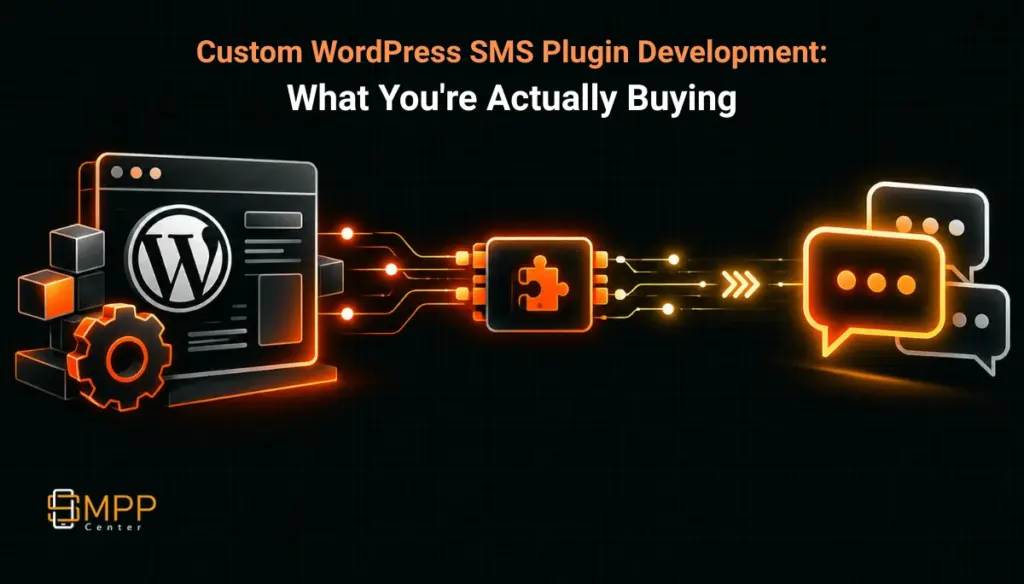
Table of Contents
- The Short Answer
- TL;DR
- What You’re Actually Buying
- Who This Is For
- The Build Process
- What’s In The Plugin
- Any Gateway, Not Just SMPPCenter
- Pricing and Who Owns the Code
- Versus the Shopify App Service
- DLT and India Compliance
- Next Steps
- FAQs
The Short Answer
SMPPCenter’s “WordPress SMS Plugin” isn’t a plugin you download and activate. It’s a custom build: you send a brief describing your WordPress site, your gateway (SMPPCenter or whatever you’re already using), and the events you want to trigger messages, and SMPPCenter’s team designs, builds, and hands you a plugin scoped to that brief. Published pricing runs $100 to $1,000+ depending on provider and the number of forms or events involved, and you receive the source code. That last point matters, because it’s not how every plugin on SMPPCenter’s pricing page works.
If you just need WooCommerce order and cart alerts, there’s already a packaged plugin for that at a lower price point and you don’t need the custom route at all. The custom route earns its cost on the cases that packaged plugin doesn’t cover: custom forms, login flows, membership sites, multisite setups, or a provider SMPPCenter doesn’t already have a connector for.
TL;DR
Treat this as a scoped software project, not a plugin purchase. Before you request a quote, write down every WordPress event that needs to trigger a message (not just “send OTPs”), confirm whether you’re staying on SMPPCenter or bringing another API, and decide whether you want the plugin hosted on your own stack or whether you’re fine depending on SMPPCenter’s team for future changes. The $100 to $1,000+ range tracks directly with how many of those events and forms you’re asking for, and because you own the resulting code, a small early build you later extend yourself is a reasonable way to control cost. If your actual need is WooCommerce order and cart messaging specifically, stop here and go to the dedicated WooCommerce plugin instead, since that’s a cheaper, pre-built option for that one use case.
What You’re Actually Buying
SMPPCenter’s WordPress SMS plugin page doesn’t list a price or a feature checklist you can tick off and install. It describes a process: you brief the team, they design the admin screens and field mapping, they build it, and they help you launch it. That’s a development engagement, closer to hiring a contractor for a defined scope than buying software off a shelf.
This is worth being clear-eyed about before you request a quote, because it changes what you should ask for. A plugin-store listing tells you exactly what you’re getting before you pay. A custom build is only as good as the brief you write, and the brief is where most of the back-and-forth (and most of the eventual cost) comes from.
The page is explicit that the plugin runs in wp-admin with capability checks, nonce protection, and logging, which is the baseline you’d expect from anyone building for WordPress rather than bolting something on. It also states the plugin works with “any documented API,” not just SMPPCenter’s, which is the detail that separates this from being a disguised SMPPCenter-only sales funnel. If you’re already paying for another SMS provider and just want the WordPress side built properly, that’s a real option here, not a footnote.
Who This Is For
The clearest use case is a business or agency that already has a WordPress site doing something beyond a standard WooCommerce store: a membership site that needs SMS login codes, a lead-gen site with custom forms that should fire an SMS the moment someone submits, a multisite network where different properties need different sender IDs, or an internal tool built on WordPress that needs delivery-report visibility inside wp-admin rather than in a separate dashboard.
It’s also the right fit for an agency or SaaS company building on behalf of a client who wants the messaging logic to live inside the client’s own WordPress install rather than depend on an external connector they don’t control. Because you receive the source code, you can hand it off, version it in the client’s own repo, or extend it later without going back to SMPPCenter for every change. That’s a different ownership model from most of the other plugins on the pricing page, and it’s the main reason to pick the custom route over a packaged connector.
What it’s not for: if your entire need is WooCommerce order, shipping, and cart-recovery alerts, the packaged WooCommerce plugin already covers that, at a lower starting price, with less brief-writing required on your end. Don’t pay for a custom scope when a fixed-scope product already does the job.
The Build Process
The site lays this out as four stages, and it’s a reasonable checklist to hold the team to.
Brief. You share your API documentation (or confirm you’re using SMPPCenter’s), your DLT headers if you’re sending from India, your WordPress version, and the specific events that should trigger a message. This is the stage where vague requirements turn into cost overruns later, so the more precise you are about “which form, which status change, which user role” the better the resulting quote will match what you actually get.
Design. The admin layout, field mapping, template variables, and error states get drafted for sign-off before any code gets written. Ask to see this before approving it. It’s much cheaper to catch a missing field or a wrong trigger condition on a mockup than after the plugin is built.
Build. The plugin itself, the gateway adapter connecting it to your chosen API, logging, and a staging install, either on your own site or a hosted replica.
Launch. Production credentials go in, a test OTP or test message confirms delivery end to end, you get a delivery-report check and handover notes, and there’s an option to retain SMPPCenter for ongoing updates afterward.
None of this is unusual for a scoped WordPress build. The thing to watch is scope creep between brief and launch: if you add a new event type mid-build, expect that to change the quote, since pricing is explicitly tied to “provider and forms” on the pricing page.
What’s In The Plugin
The feature list on the service page reads like a checklist of things a reasonably mature SMS-enabled WordPress site needs, which is useful as a starting point for your own brief even if you end up dropping some of it.
- Bulk and group SMS to lists, user roles, or WooCommerce customers, with GSM-7 and Unicode length counting and scheduled sends.
- OTP and 2FA for login, checkout, or custom forms, with rate limits and retry windows, so a single user can’t trigger unlimited resends.
- WooCommerce alerts across SMS, WhatsApp, RCS, and voice, if the site also runs WooCommerce, with shortcodes and optional admin copies.
- DLT template mapping that keeps WordPress events tied to approved template and sender IDs rather than letting free-text messages go out under an unregistered header.
- Delivery reports stored against transaction IDs, surfaced as failures in wp-admin rather than silently dropped.
- Webhooks and
do_actionhooks, so other plugins on the same WordPress install can trigger SMS through a native hook instead of needing their own integration. This is the detail that matters most if you’re running a WordPress site with several plugins that each want to send a notification. Build the hook once, let everything else call into it.
The build standards described (sanitized inputs, prepared queries, secrets kept out of the browser and logs, WP-CLI commands for backfills) are what you’d want from any contractor touching production WordPress, and they’re worth confirming explicitly in your brief rather than assuming.
Any Gateway, Not Just SMPPCenter
The plugin is built to work with “API key, Basic, HMAC, or OAuth2 authentication,” JSON, form, or XML payloads, and idempotency keys to stop double-sends on timeouts. That’s a genuinely provider-agnostic build, not an SMPPCenter-branded shell around a single integration.
If you’re staying on SMPPCenter’s own API, the plugin form adds sender ID, template ID, and route class fields, plus a balance check before large campaigns, so you’re not finding out mid-send that the account is out of credit. If you’re bringing a different provider, none of that SMPPCenter-specific scaffolding is relevant and the build is purely a generic gateway adapter.
This is worth asking about directly during the brief stage if you’re not fully decided on a provider: a plugin built against a generic API contract is more portable later if you switch providers than one built tightly around SMPPCenter’s specific fields.
Pricing and Who Owns the Code
The service page itself doesn’t quote a number. SMPPCenter’s plugin pricing page does: $100 to $1,000+ for the “WordPress SMS & WhatsApp Plugin,” varying by provider and the number of forms involved. That’s a wide range, and the width is the point. A single OTP-on-login build sits at the low end; a multi-channel, multi-form, multi-event build with WooCommerce alerts, custom forms, and a non-SMPPCenter gateway adapter sits toward the top.
The detail that’s easy to miss: you receive the source code. The pricing page states this explicitly for the WordPress plugin and for the WooCommerce plugin, but not for several of the other connectors on the same page. The Excel SMS plugin, the Google Sheets connector, and the HubSpot connector are all described as “licensed as software, not handed over as source code.” The WordPress build is different. You own what gets built, which means you can modify it later without paying for every change, hand it to an in-house developer, or move it between environments freely.
There’s also a 90-day warranty on bugs in the delivered work, an optional annual maintenance contract at 20% of the build cost per year covering fixes when the target platform changes its APIs, and the note that adding channels later is quoted as incremental work rather than a full rebuild. If you’re budgeting past year one, factor the AMC in as a real recurring line item if you want priority support rather than ad hoc post-warranty quotes.
Versus the Shopify App Service
SMPPCenter runs a comparable commissioned-build service for Shopify, and the pricing model there is structured differently in a way that’s worth knowing before you assume “custom app development” means the same deal across platforms.
The Shopify SMS app development service is a flat $300 one-time build with a $120/year renewal from year two, and the app is hosted on SMPPCenter’s own web server as a published app by default, with a private-app option available. The page doesn’t state who owns the app or whether you get source code, and support is described as “free maintenance and upgrades” rather than a source handoff.
The WordPress build is the opposite shape on both counts: pricing is scoped per project rather than flat, and ownership is explicit, you get the code. If you’re choosing a platform for a new storefront or site and portability matters to you, that’s a real factor, not just a pricing-page footnote. A Shopify app you don’t own the source to and a WordPress plugin you do are different long-term commitments even if the upfront cost looks similar.
DLT and India Compliance
If you’re sending from India, the plugin maps WordPress events to approved DLT templates and entity IDs, and sender IDs are restricted to approved headers, not whatever string a form happens to generate. The page also describes “claim-before-send” logic specifically to prevent duplicate billing when an API response is slow, which is a sensible safeguard for anyone who’s been burned by a timeout that looked like a failure but wasn’t.
None of this replaces your own DLT registration work. The plugin enforces the mapping once your templates and headers are already registered; it doesn’t register them for you. If you haven’t gone through principal entity and template registration yet, that’s a separate process to complete before the plugin has anything valid to map against.
Next Steps
If a packaged connector already fits your use case, check the WooCommerce plugin or SMPPCenter’s other plugin pricing before paying for a custom scope you don’t need. If your use case genuinely goes beyond a packaged connector, write the event list first, then request a quote through the WordPress SMS plugin page. For the messaging side of the equation, including which plan supports the channels and throughput your WordPress build will actually call into, start at pricing or see why teams choose SMPPCenter as the underlying messaging platform.
FAQs
Is this a WordPress.org plugin I can find and install myself?
No. It’s a commissioned build delivered directly to you after a brief and a quote, not a listing in the WordPress plugin directory.
Do I have to use SMPPCenter as the SMS provider?
No. The plugin is built to work with any API that documents its authentication and a send endpoint. If you’re already using a different provider, the build becomes a generic gateway adapter instead of an SMPPCenter-specific one.
What if I only need WooCommerce order and cart alerts?
Use the dedicated WooCommerce plugin instead. It’s a packaged product built for exactly that scope, and it’s priced lower than a custom build would be for the same outcome.
Do I own the plugin once it’s built?
Yes, for the WordPress and WooCommerce builds specifically, per SMPPCenter’s plugin pricing page. That’s not true of every plugin on that same pricing page; the Excel, Google Sheets, and HubSpot connectors are licensed as software rather than handed over as source.
How is this different from the Shopify app development service?
The Shopify service is a flat $300 build hosted on SMPPCenter’s server with a $120/year renewal, and the page doesn’t state source-code ownership. The WordPress build is scoped per project ($100 to $1,000+) and you receive the source code. They’re structured as different kinds of engagements, not the same offer applied to two platforms.
Does the plugin handle DLT registration for me?
No. It maps your WordPress events to templates and sender IDs you’ve already had approved. You still need to complete DLT principal entity and template registration separately before the plugin has anything valid to send against.
What happens after the 90-day warranty ends?
Bug fixes within 90 days of delivery are free. After that, you can take an annual maintenance contract at 20% of the build cost per year for ongoing fixes and priority support, or pay for post-warranty fixes as scoped work when they come up.
More from our blog
How SMPPCenter’s Plan Builder Actually Recommends a Tier
Quiz SMS: A Resellable Interactive Engagement Channel for Aggregators and Brands
Why SMPPCenter Has No Public API Reference, and What You Get After Purchase
SMS Delivery Speed Analytics and Reseller Consumption Reporting for Aggregators
Traffic Prioritization: Keeping OTP Fast When a Client Runs a Bulk Campaign