SMPPCenter’s Plan Builder asks eight questions and spits out a tier and a price. Here’s what each question is actually gating, what gets priced separately, and where the tool’s “guide, not a quote” line matters most.
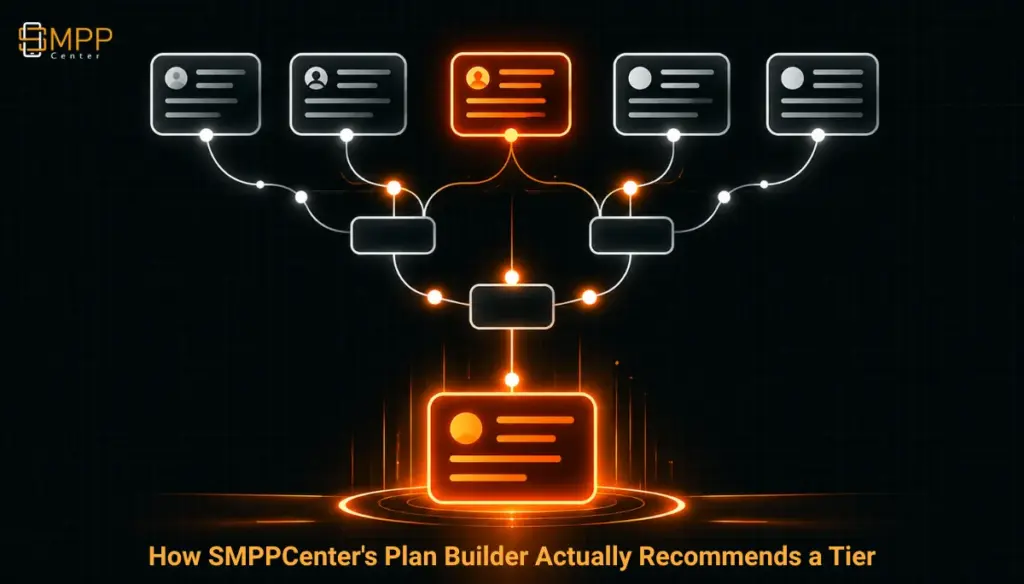
Table of Contents
- The Short Answer
- TL;DR
- The Eight Questions, and What Each One Actually Gates
- Why It’s a Floor, Not a Score
- What Gets Priced Separately
- Three Hard Gates: Perpetual, Enterprise, and Overage
- Reading the Result Before You Talk to Sales
- Next Steps
- FAQs
The Short Answer
Plan Builder asks eight questions about connectivity, throughput, volume, resellers, channels, licensing model, and regulatory needs, and each answer sets a minimum tier rather than contributing to a score. The tool recommends the highest tier any single answer requires, then adds separately priced items (extra channels, metered AI, per-deal items) on top. It explicitly calls its own result “a guide, not a quote,” which matters because several of the inputs that actually move an enterprise deal, like negotiated SLA terms or custom throughput above 1,000 TPS, aren’t questions the tool asks at all.
TL;DR
The useful way to read Plan Builder isn’t as a calculator, it’s as a floor-setting exercise. Answer “yes, my customers bind over SMPP” and you’re off the two web-only tiers no matter what else you answer. Answer “yes, I have sub-resellers” and you’re at Growth or above, since that’s where multi-tier reseller accounts start. Answer “yes” to the uptime/on-premise/regulated-industry question and the whole exercise stops mattering, because that routes straight to a scoped Enterprise quote regardless of what the other seven answers said. Knowing which three or four questions actually do the gating, out of eight, is what makes the tool’s output useful as a starting point rather than a number you just accept.
The Eight Questions, and What Each One Actually Gates
Plan Builder’s questions aren’t equally weighted, even though the interface presents them as a flat sequence. Each one effectively asks “does this rule out a tier,” and some rule out a lot more than others.
1. Does your customer need to bind over SMPP, or is a web panel and HTTP API enough? This is the single biggest gate in the tool. Answering “yes, they bind over SMPP” rules out both Launch Web and anything equivalent without an SMPP server, pushing the recommendation to Launch SMPP or higher. If the answer is “no,” throughput and volume answers still apply, but the floor starts much lower.
2. Peak throughput (up to 50, 200, 500, or 1,000+ TPS). The tool is explicit that this means sustained peak, not average traffic, which is the right question to ask but an easy one to answer wrong. A business that averages 20 TPS but bursts to 150 during a campaign send should answer based on the burst, not the average, or the recommended tier will undersell its own actual need.
3. Monthly message volume (up to 1M, 5M, 15M, or more). Volume above the selected tier’s ceiling is “billed as overage, never cut off,” per the tool’s own copy, which is worth knowing: going over doesn’t force an upgrade mid-cycle, it just costs more that month.
4. Sub-resellers (direct customers only, or a multi-tier reseller panel). This is the second major gate. A “yes” here routes to Growth or above, since reseller account limits (10 on Growth, 100 on Scale, unlimited on Enterprise) only exist from that tier up.
5. Channels beyond SMS (WhatsApp, RCS, Telegram, OBD Voice, multi-select). This doesn’t change the base tier recommendation; it changes what gets added to the total afterward, priced on a separate ladder.
6. Rent or own. Renting keeps SMPPCenter running the infrastructure; owning means a perpetual license, available from Growth upward, not on either Launch tier. Choosing “own” below Growth isn’t an option the tool offers, since it’s structurally unavailable at that level.
7. Uptime SLA, on-premise deployment, or regulated-industry controls. A “yes” here is the override gate: it moves the recommendation to a scoped Enterprise quote regardless of what the other six questions said, because none of the published tiers below Enterprise carry negotiated SLA terms or an on-premise option.
8. AI, chat, or automation add-ons beyond three included channels on the Inbox or Workflow products. (Plan Builder’s own wording for these two product categories; which existing SMPPCenter products “Inbox” and “Workflow” correspond to isn’t spelled out on the page itself.) Extra channels beyond the three included run $29 per channel per month, and metered AI or chat usage is excluded from the running total entirely, handled by sales separately.
Why It’s a Floor, Not a Score
It’s tempting to think of an eight-question tool as additive, where more “yes” answers push you up gradually. That’s not how Plan Builder works. A business with modest throughput, modest volume, no resellers, and no extra channels, but one single “yes” to the SMPP-binding question, lands on Launch SMPP regardless of how small everything else is. The tool takes the highest tier any individual answer requires and reports that, which means the real work of using it well is figuring out which of the eight questions is your actual constraint, not filling in the form and trusting the total.
This also means two businesses that look very different on paper can land on the same recommended tier. A reseller with 50 sub-accounts and heavy SMS-only volume, and a single enterprise sender with no resellers but needing SMPP binds and 400 TPS, might both land on Scale, for completely different reasons. The tier name tells you what you qualify for; it doesn’t tell you which constraint got you there, and that’s the detail worth knowing before a sales call, because it’s the thing you’d actually negotiate on if your situation changes.
What Gets Priced Separately
Three categories sit outside the base tier price, and conflating them with the tier total is the most common way to misread the tool’s output.
Channel volume (WhatsApp, RCS, Telegram, Voice) follows its own usage ladder for perpetual-license holders, or a separate quote for subscription accounts, billed on delivered messages rather than folded into the monthly tier fee.
Metered AI and chat usage on top of the base Inbox/Workflow allowance is agreed with sales directly and never appears in Plan Builder’s running total at all, which means the number shown on screen understates the real monthly cost for any account planning to lean on automation or AI features.
Per-deal items, the tool’s own phrase for anything scoped individually (integration work, custom gateway connections, and similarly bespoke line items) show up in the result as “also quoted by sales” rather than a number, which is the clearest signal in the whole tool that its total is a starting figure, not a final one.
None of this is unusual for a platform selling both a subscription product and a menu of paid add-ons. It’s just worth reading the itemization carefully rather than treating the single dollar figure on screen as the account’s actual monthly cost.
Three Hard Gates: Perpetual, Enterprise, and Overage
Three mechanics in the tool aren’t really pricing questions, they’re eligibility gates, and they’re worth separating from the rest because they behave differently from a normal tier upgrade.
Perpetual licensing is Growth-and-up only. Choosing “own” on a Launch-tier set of answers doesn’t produce a Launch perpetual price, because that combination doesn’t exist. The perpetual-versus-subscription math only becomes relevant once the other answers already clear Growth; it’s a second decision layered on top of the tier choice, not an alternative to it.
The regulated-industry answer overrides everything else. A “yes” to uptime SLA, on-premise, or regulated-industry controls routes straight to Enterprise regardless of throughput, volume, or reseller count. For a bank or fintech buyer, this means the first seven questions are mostly diagnostic, helping frame the conversation with sales, rather than determinative of the actual quote.
Overage is a billing event, not a tier trigger. Exceeding the selected volume tier doesn’t force an upgrade or get traffic cut off; it’s billed as overage for that period. That’s a meaningfully different risk profile than a hard cap, and it means choosing a slightly conservative volume tier to save on the base fee, while planning to absorb occasional overage months, is a legitimate strategy rather than a trap.
Reading the Result Before You Talk to Sales
The most useful way to use Plan Builder isn’t to accept its output, it’s to run the questions twice: once with your current numbers, and once with where you expect to be in twelve months. If the same tier comes back both times, that’s a reasonably stable choice. If the second pass jumps a tier, usually because of the throughput or sub-reseller questions, that’s worth raising directly with sales as a growth-path question rather than discovering it later as a renewal surprise.
It’s also worth identifying, before the sales call, which single answer is actually driving the recommendation. If it’s the SMPP-binding question, ask whether a hybrid rollout (web API now, SMPP later) changes the economics. If it’s sub-resellers, ask whether reseller account limits are hard caps or just what’s bundled before overage-style add-on pricing kicks in, something the build-versus-buy comparison touches on from a different angle but doesn’t resolve for SMPPCenter’s own tiers specifically. Either way, going in knowing which answer set the floor turns the conversation from “is this the right price” into “is this the right reason for the price,” which is a much more useful question to be asking sales.
Next Steps
Run Plan Builder with current numbers and again with a twelve-month projection, note which single answer sets the higher of the two recommendations, and bring that specific question to the sales conversation rather than the total alone. SMPPCenter’s pricing page carries the full tier breakdown behind the tool’s numbers, and the why-us page covers the support channels worth using to get the “per-deal” and metered-AI line items actually quoted before signing anything.
FAQs
Does Plan Builder’s price include everything I’ll actually pay?
No. Channel volume (WhatsApp, RCS, Telegram, Voice), metered AI/chat usage, and anything scoped as a per-deal item are all priced separately from the base tier figure shown on screen.
If I answer “yes” to needing an uptime SLA or on-premise deployment, does the rest of the form still matter?
Not for the final quote. That answer routes to a scoped Enterprise conversation regardless of the other seven answers, though those answers are still useful context for that conversation.
Can I get a perpetual license on the Launch tiers?
No. Perpetual licensing is available from Growth upward only; it isn’t an option the tool offers below that tier.
What happens if I go over my selected monthly message volume?
It’s billed as overage for that billing period rather than triggering an automatic upgrade or a service cutoff.
What are the “Inbox” and “Workflow” products Plan Builder refers to in its add-on-channel question?
The tool uses those names for two product categories that include three channels by default, with additional channels priced at $29 per channel per month. Which existing SMPPCenter products these names map to isn’t spelled out on the Plan Builder page itself, so it’s worth confirming directly with sales if the distinction matters to your evaluation.
More from our blog
Quiz SMS: A Resellable Interactive Engagement Channel for Aggregators and Brands
Why SMPPCenter Has No Public API Reference, and What You Get After Purchase