
To create a new Connect Approved Sender ID rule, follow these steps:
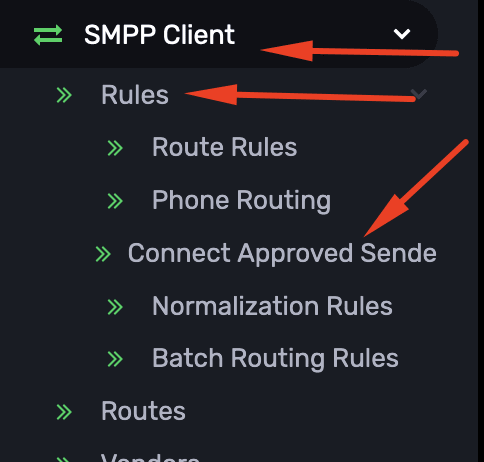
Navigate to Sidebar -> SMPP Client -> Rules -> Connect Approved Sender ID. (Ref Screenshot 1
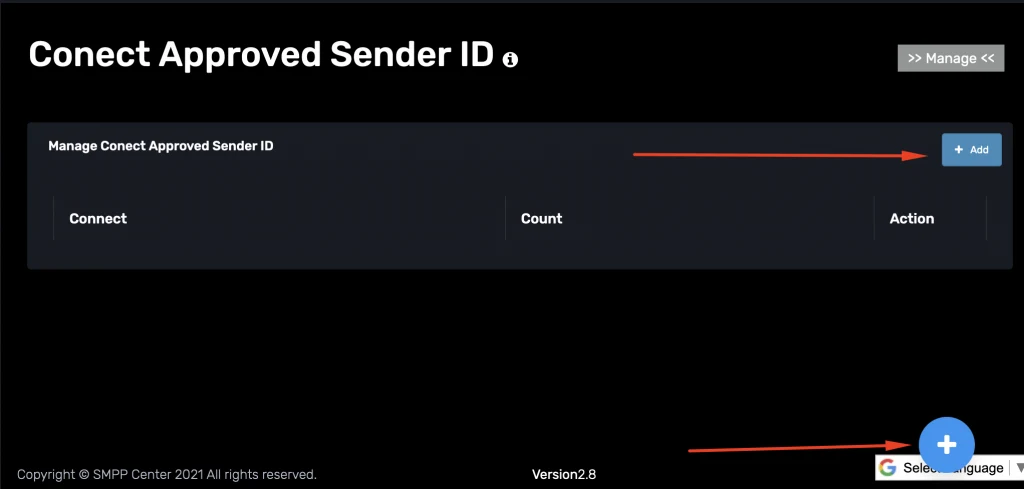
Click the Add button located at the top right of the page.
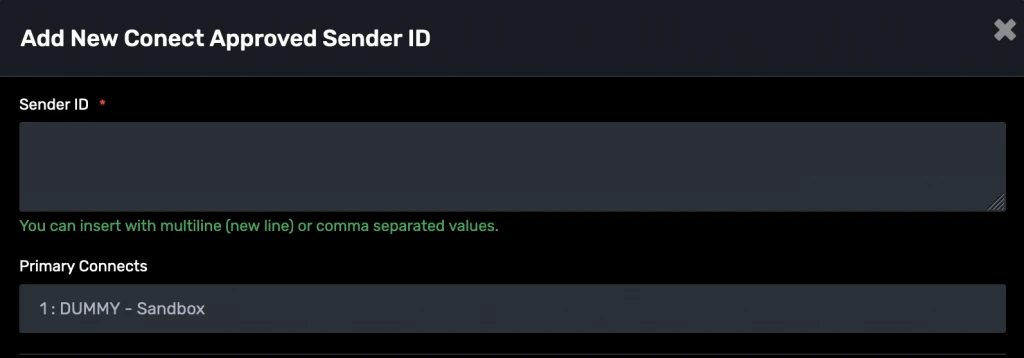
A modal/window pane will appear.
Fill in the required details in the modal form or check this (see below for details).
Click Save to apply the rule.
Found this useful?Add as Preferred Source on Google