Licensed SMPP Center operators can now give Admin/Reseller accounts a branded bulk email tool in the user panel, powered by each reseller’s own SMTP, with smart test limits and a visible delivery queue.
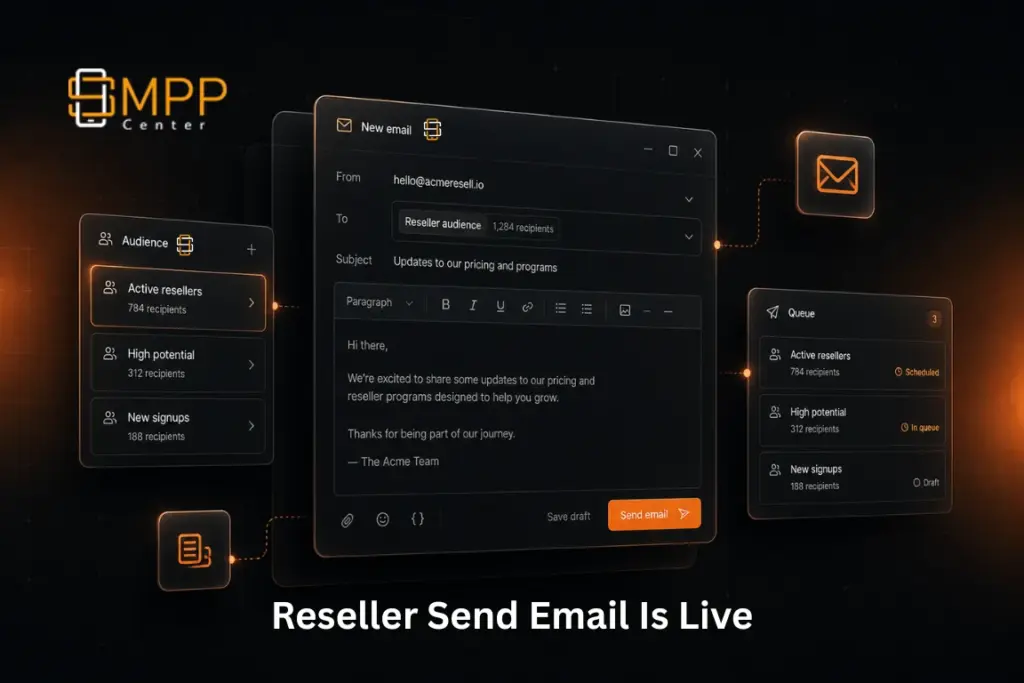
As an SMPP Center license holder, you already give resellers a full panel to manage users, pricing, and messaging channels. What they often still ask support for is simple: “Can I email my downline from my own brand?”
With the latest update, the answer is yes.
Resellers (and admin-role accounts) can now queue branded emails to their downline directly from the Reseller Panel, using their own White Label SMTP Connectivity. Campaigns run on an independent queue lane, so reseller sends do not compete with platform admin emails for the same throttle.
Why this matters for licensed operators
- Fewer support tickets for “please send this notice to my users”
- Resellers stay inside their branded panel and SMTP identity
- Safer testing before large downline sends
- Clear visibility into what is still waiting to deliver
What’s included
1. Downline audiences that match real reseller workflows
Resellers can target:
- All downline users
- Active
- Inactive
- Blocked
- Individually selected accounts
- External test emails for preview before a large campaign
2. Rich email composition
The compose screen includes a rich text editor with sanitized HTML, plus familiar placeholders:
--USER----EXPDATE----SITENAME--
That keeps notices personal without hardcoding every recipient.
3. Own SMTP only
Reseller campaigns use the reseller’s configured SMTP Connectivity. If SMTP is missing or invalid, the panel blocks the send and points them to White Label settings first. This keeps delivery under their brand, not the platform identity.
4. Smart External Test Email controls
Testing is intentionally flexible for QA, but protected against misuse:
- Maximum 5 addresses per campaign
- Up to 5 unique new addresses per hour
- Retesting the same addresses in that hour does not consume quota
They can also one-click append their logged-in account email while testing.
5. Queued emails with pagination
A Queued tab shows pending rows for that reseller only: recipient, subject, batch, attempts, and queue time. Emails stay there until cron delivery succeeds. Failed retries stop after 3 attempts so bad SMTP does not loop forever.
6. Safer failure handling
If a reseller SMTP handshake fails during sending, that reseller’s pending queue is cancelled and cleared, and an alert is raised using parent branding/SMTP so the campaign does not keep retrying endlessly.
Where resellers find it
In the Reseller Panel under Users, open Send E-Mail.
They will see:
- Compose for campaigns
- Queued for pending delivery
What license holders should tell their resellers
- Configure and validate SMTP Connectivity in White Label first
- Test with External Test Emails before a full downline send
- Use Active for routine notices; use Select Individually for targeted updates
- Check the Queued tab if delivery seems delayed
Bottom line
Your resellers can now communicate with their downline from their own panel, under their own SMTP, with a clean compose experience, controlled testing, and a transparent queue. That is one less operational bottleneck for your support team, and one more branded capability inside the platform you already license.
If you are already on the latest SMPP Center release, this is available for Admin/Reseller roles with SMTP Connectivity configured. If you need enablement help for your deployment, talk to our team and we will walk you through rollout.